SWLAW School
Figma
End-to-end Designer
Web Design
The New Website
Scroll the image to preview

Updated Design System
Components
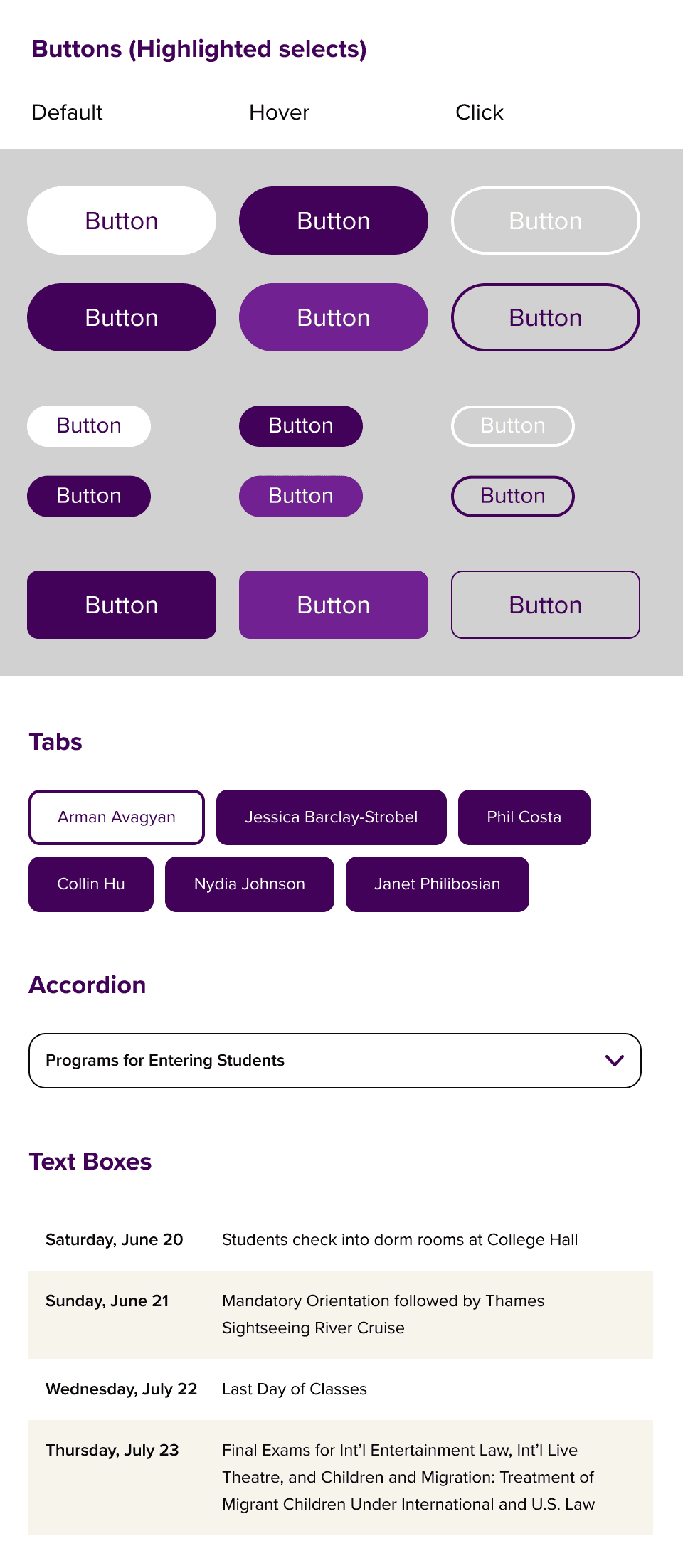
Type System

The Process
Old Webpage To Improve

Initial Homepage Evaluation
Our initial evaluation surfaced many problem areas that we aimed to improve with the redesign.
The Goal
Refresh the design system and improve the prospective student entry and navigation experience, resulting in a smoother research experience and increased progress to applying to the school.
RESEARCH
What Do Prospects Need?
Why do prospective students abandon SWLAW’s site instead of progressing toward Apply/Request Info?
Through usability interviews with 20 participants and a review of other law school websites, I identified three breakdowns in prospective-student discovery.
Focus Group Findings
I conducted a focus group to test the current site and it's usability that uncovered a few key findings to solve in our redesign.
Unclear Information Architecture
Users didn't understand where to look for their answers on the site.
"I didn't understand why the navigation bar was split so far apart and what the sections on the page were for. I just left the site and googled my questions."
Primary Actions Aren't Obvious
Primary actions in the hero lacked clear affordance. Users didn’t recognize clickable elements.
"I didn't even know the virtual tour text on the image was clickable."
Lack of Desirable Information
The homepage didn’t answer top early-funnel questions (cost/aid, programs, how to apply/visit), forcing users to hunt for info unsuccessfully.
"A lot of the information on the main webpage weren't things that I was looking for when I was a prospective student."
Key Metrics
42 secs
Avg. time users spent on the current website
Google Analytics (2026)
85%
of user interviewees said the site was so confusing that they exited quickly and googled their questions instead.
Focus Group Study (2025)
Projected Solutions
The navigation model must be simplified and reorganized so users can predict where information lives.
Make primary actions explicit (buttons/CTAs), clarify hierarchy, and reduce ambiguity.
Homepage needs an information map for prospective students + direct paths to top tasks.
EXPLORATION
Designing an Intuitive Pathway to Apply
How might the homepage answer top questions quickly and guide prospective students toward appyling?
The inital approach of an updated navigation and visual refresh improved the site’s polish, but research showed the underlying issue was findability.
Instead of relying on navigation alone, I redesigned the homepage as a guided entry point by surfacing common questions and routing users to the next step with minimal friction.
Starting With The Most Common Questions
Why this school? What's the value and is it credible?
What can I study? What programs and concentrations are available?
What's campus life like? How can I get connected?
Can I afford it? Is there financial aid?
Early Wireframes
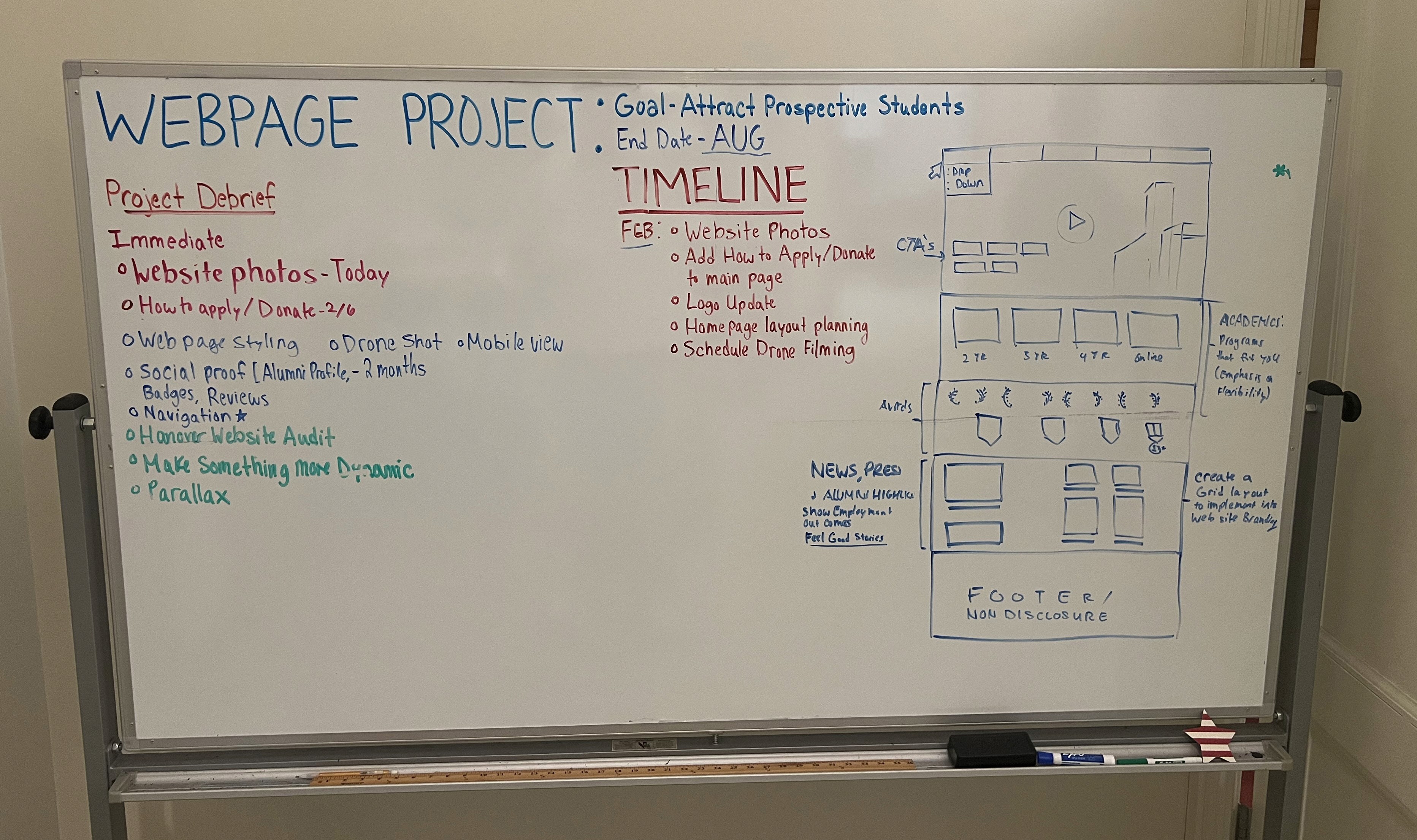
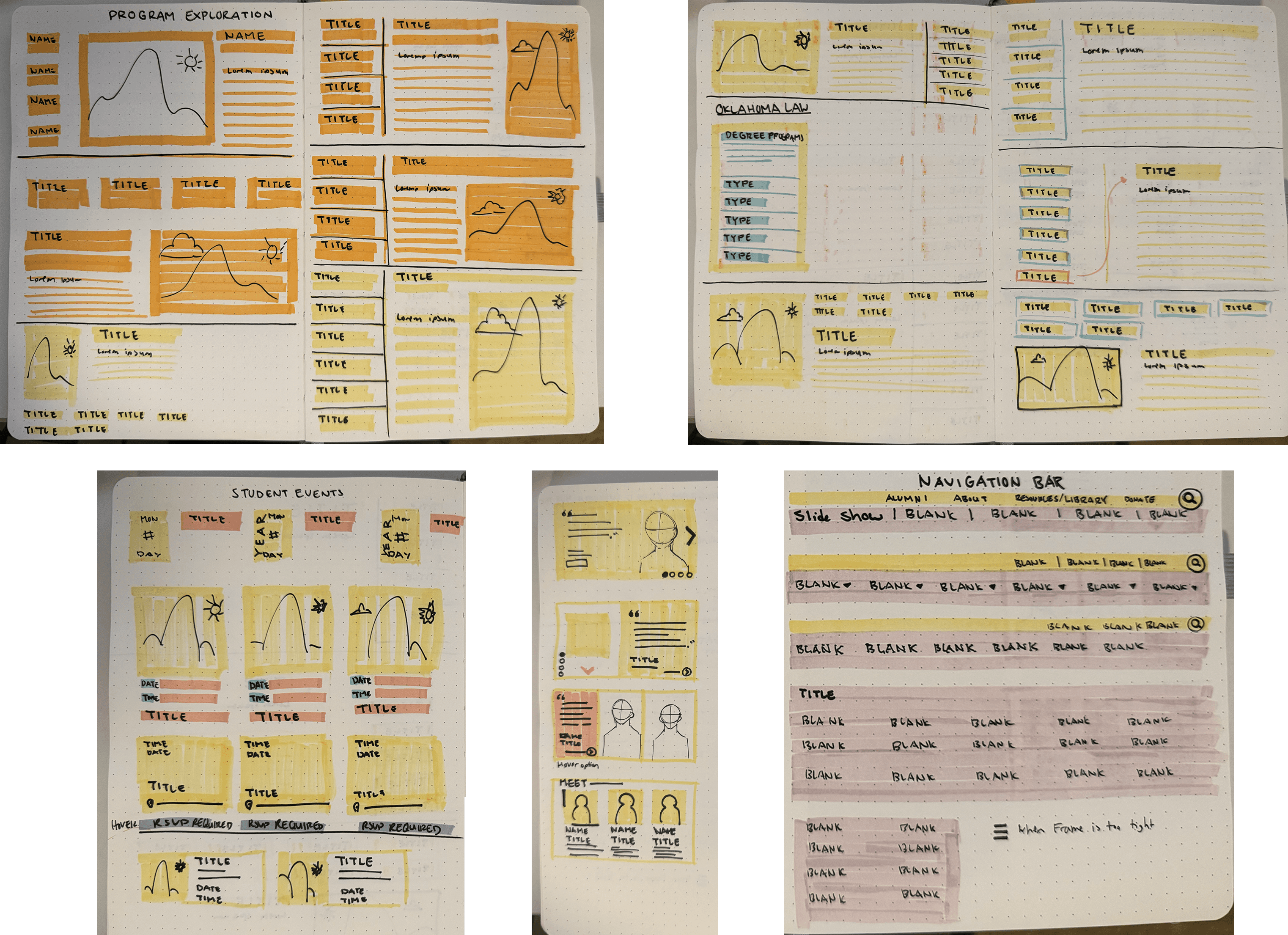
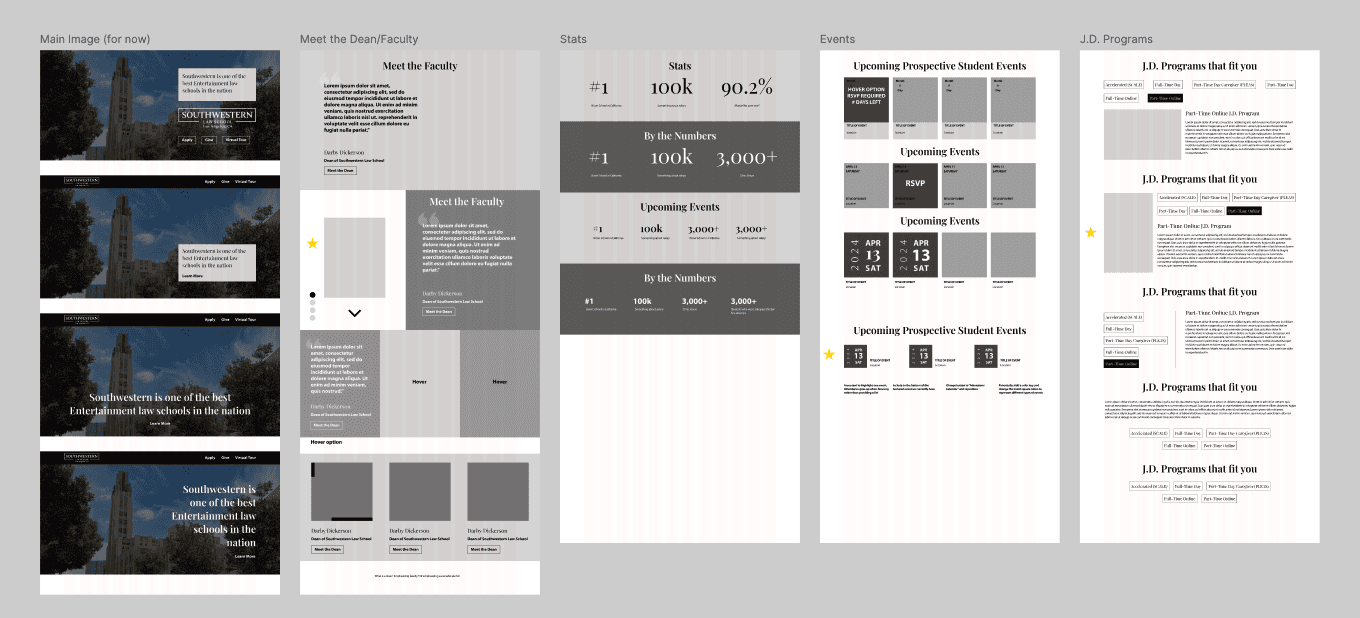
After several iterations, I produced a high-fidelity prototype and reviewed it with a third-party UX designer and a follow-up focus group. The feedback showed the concept was an improvement, but didn’t fully solve the core findability problem.
Old Site

Concept 1

What Wasn't Working
Users didn’t feel guided through a sequence.
Modules read as disconnected sections rather than a cohesive flow toward a next step.
The homepage didn’t surface the highest-value topics fast enough for prospects.
The Nav was still hard to scan. Too many dropdowns created overlap and confusion.
How I Solved This
Reframed the design concept
Created guided entry point for prospective students that eventually leads to CTA's (request Info, visit, or apply)
Devised a pathway based off of the common path of questions propsects ask when exploring schools
Adjusted the UX of the nav bar, not just the UI
Pathway Map
I devised a map using what the data gathered from the focus groups and from researching competitors.
The map contains sections that each answer a top prospective student question and routes to more indepth information in 1 click.
Hero Section
Why SWLAW?
Programs
Financial Aid
Affordability, scholarships, aid
Student Experience
Community, campus life, events, news
Next Step
Application process, request info, visit campus
What Changed
Old Design
Final Design

New Components
Components created for the website that can be used across the entire website.
Navigation Bar

Buttons

Text Blocks
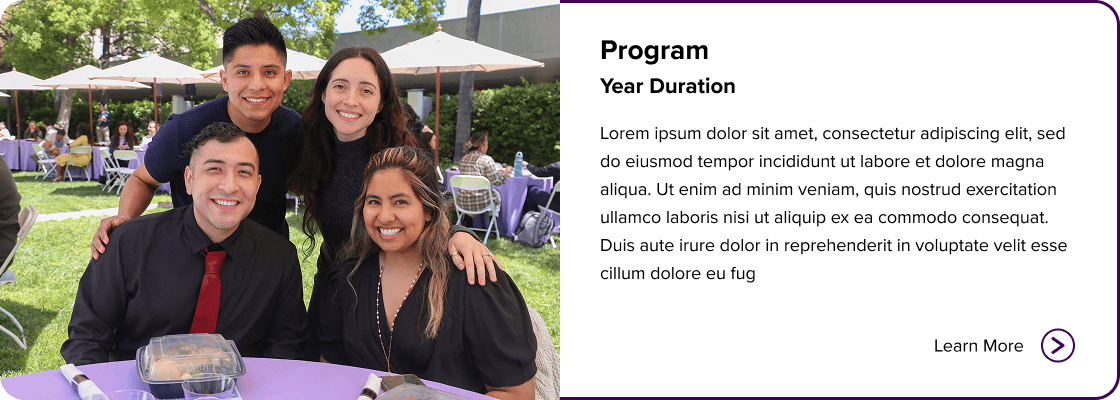
Image Cards
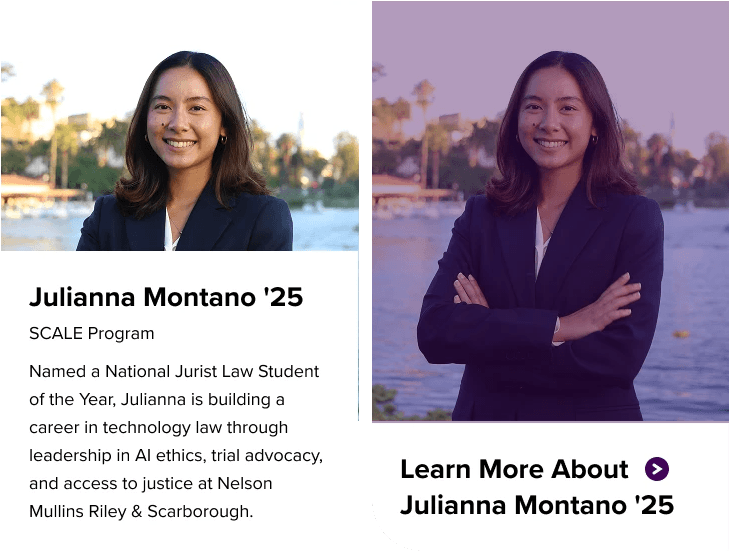
Event Cards


Reflection
Development Team
I partnered with SWLAW’s third-party engineering team to align the design with CMS/budget constraints and define a launch-ready build plan. To help the developers I created a Design Style guide and component library that defines the rules for the web design.
Accesibility Manager
I worked closely with SWLAW’s accessibility manager to ensure the web page met accessibility standards. Together we reviewed the colors of the site for readibility, verified touchpoint sizes, and ensured text sizes me standards.