Google UX Course
Product Design
Product Designer
Figma, ChatGPT
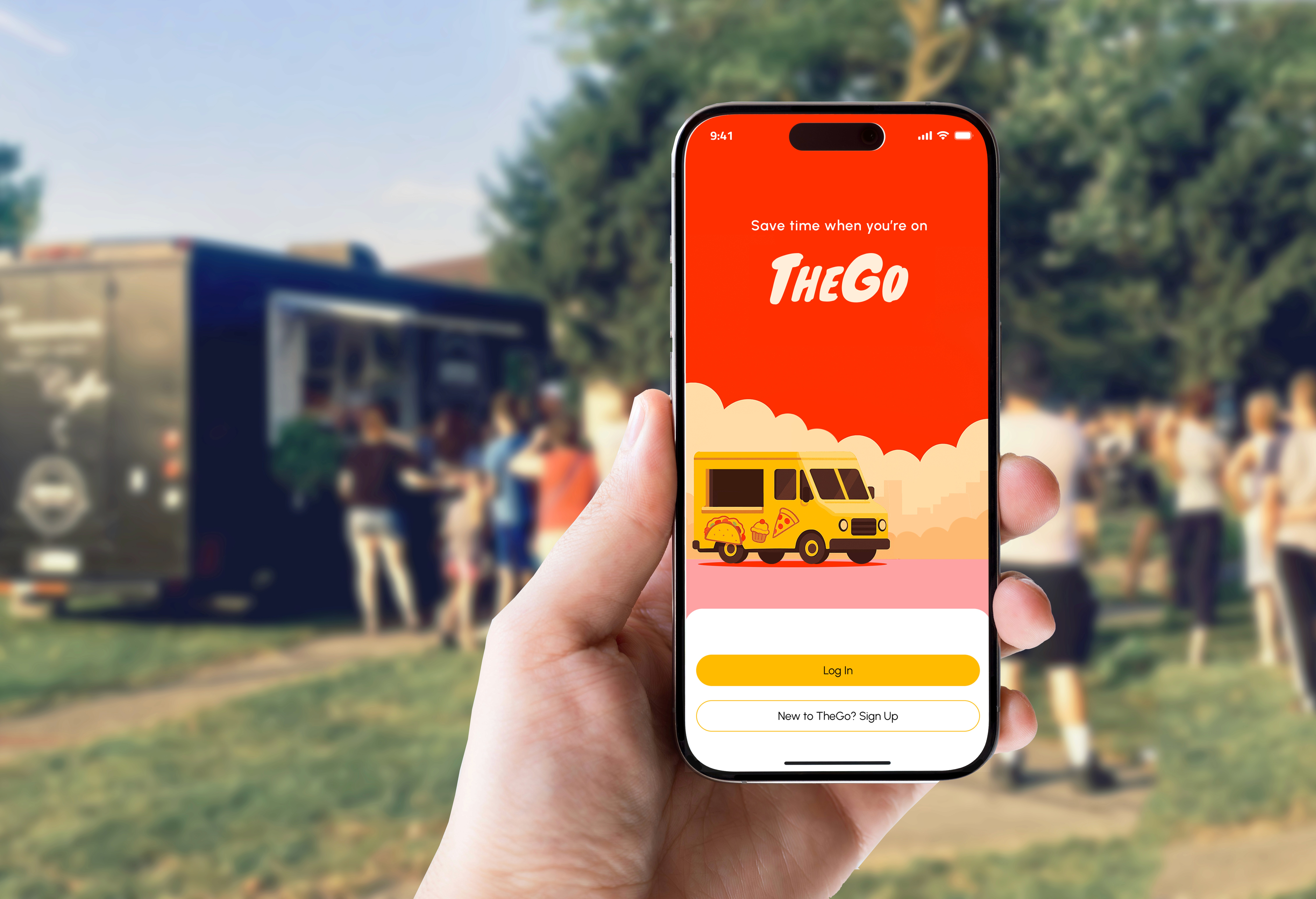
Final Screens
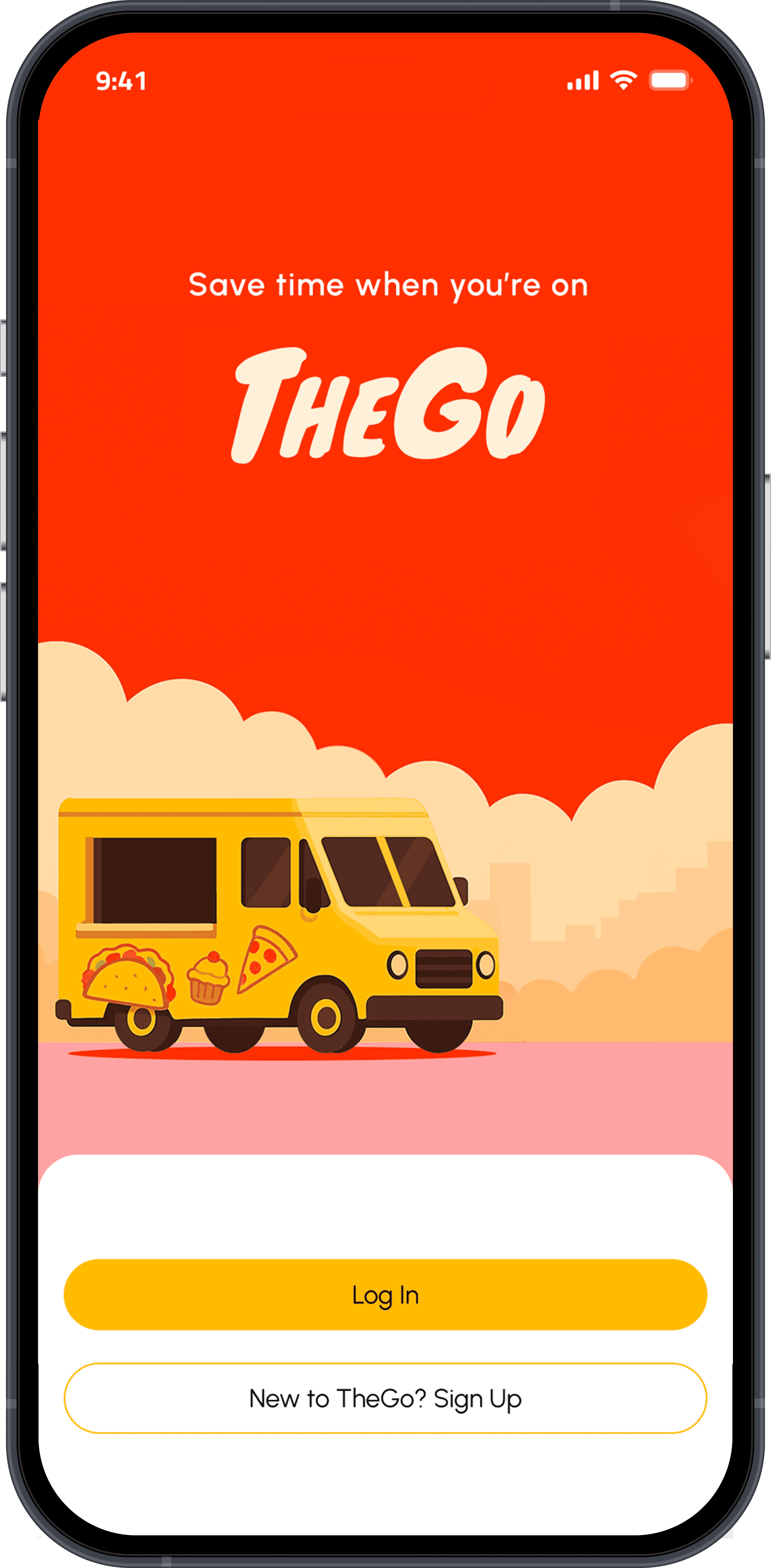
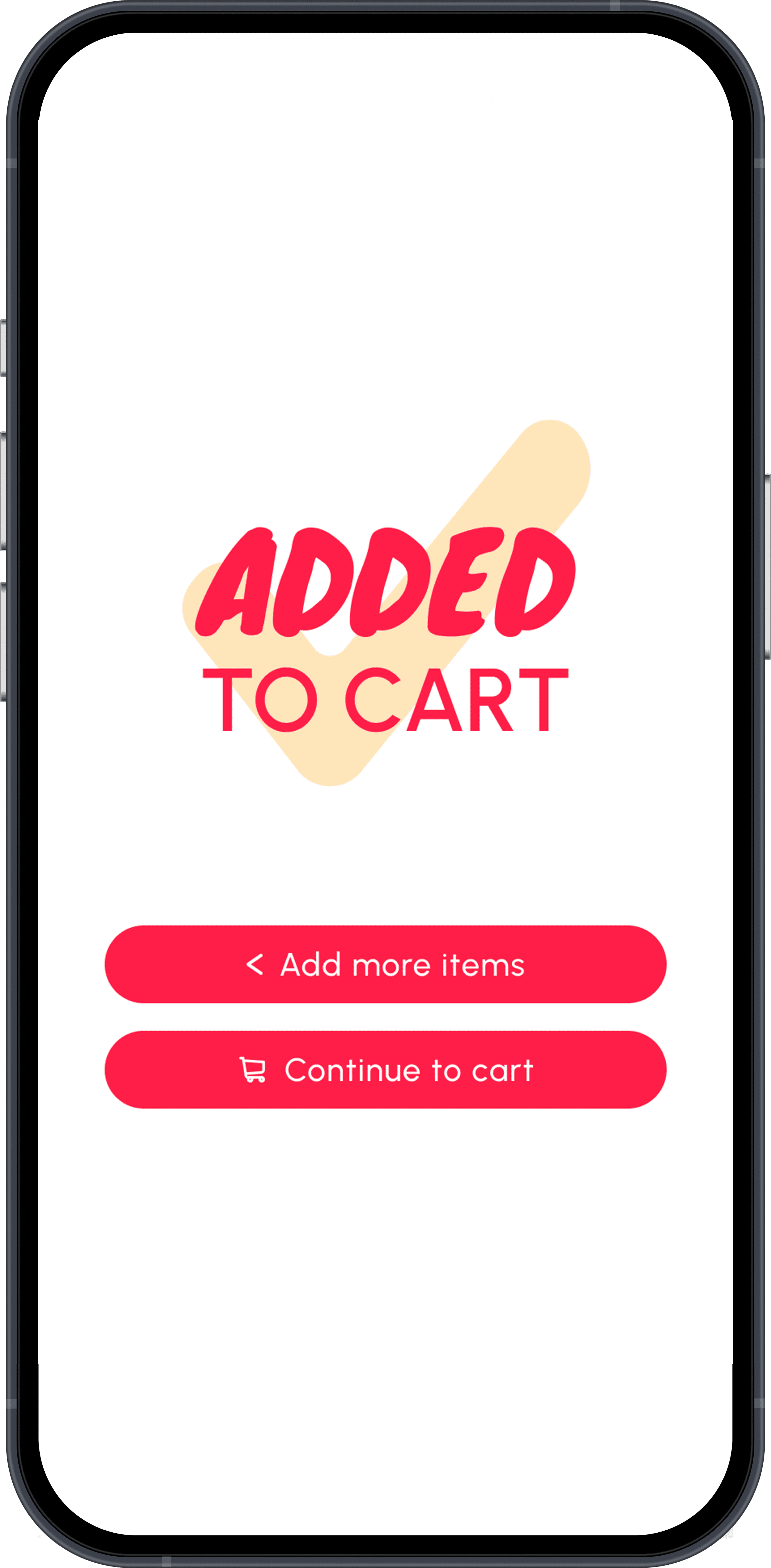
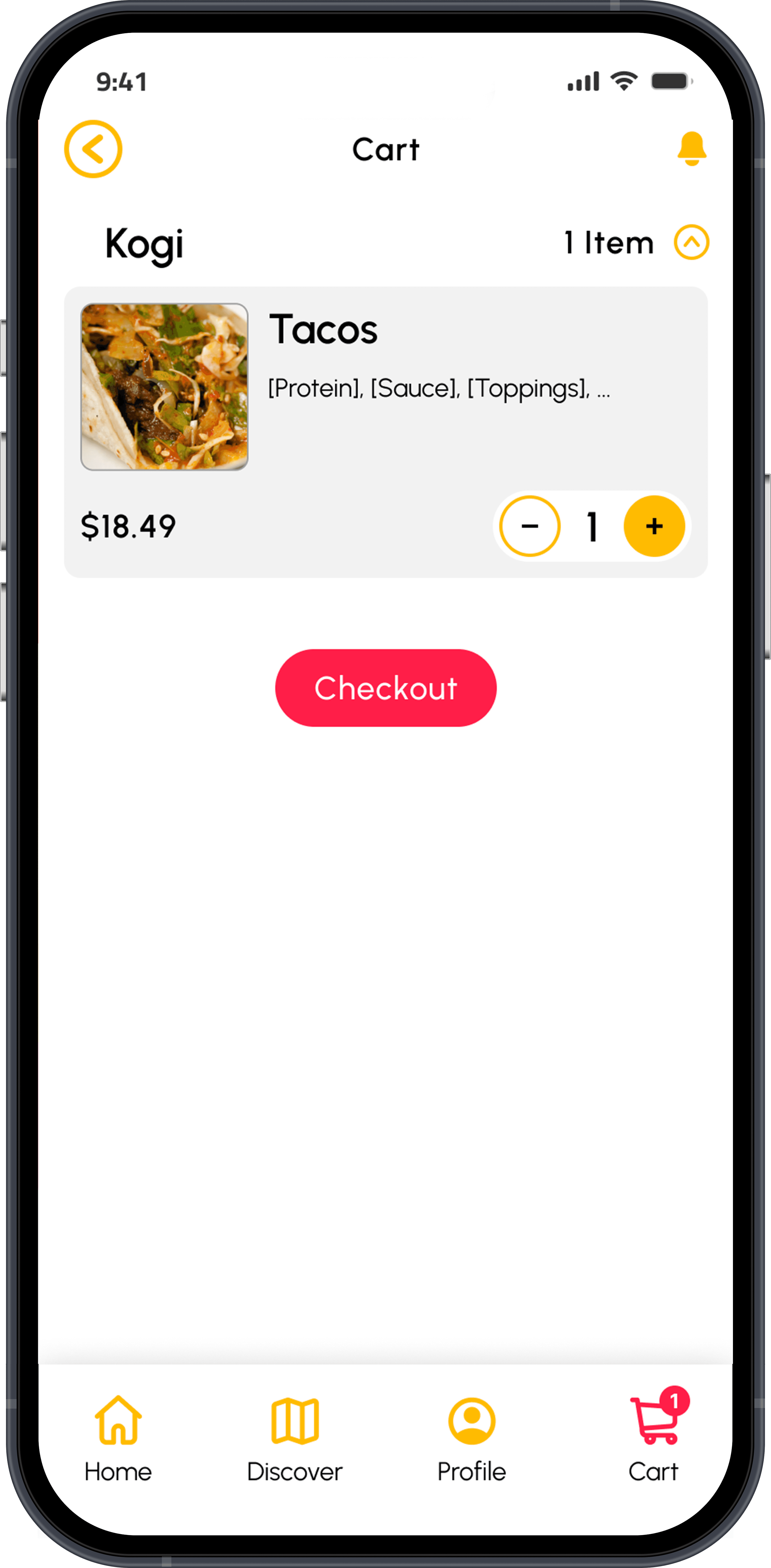
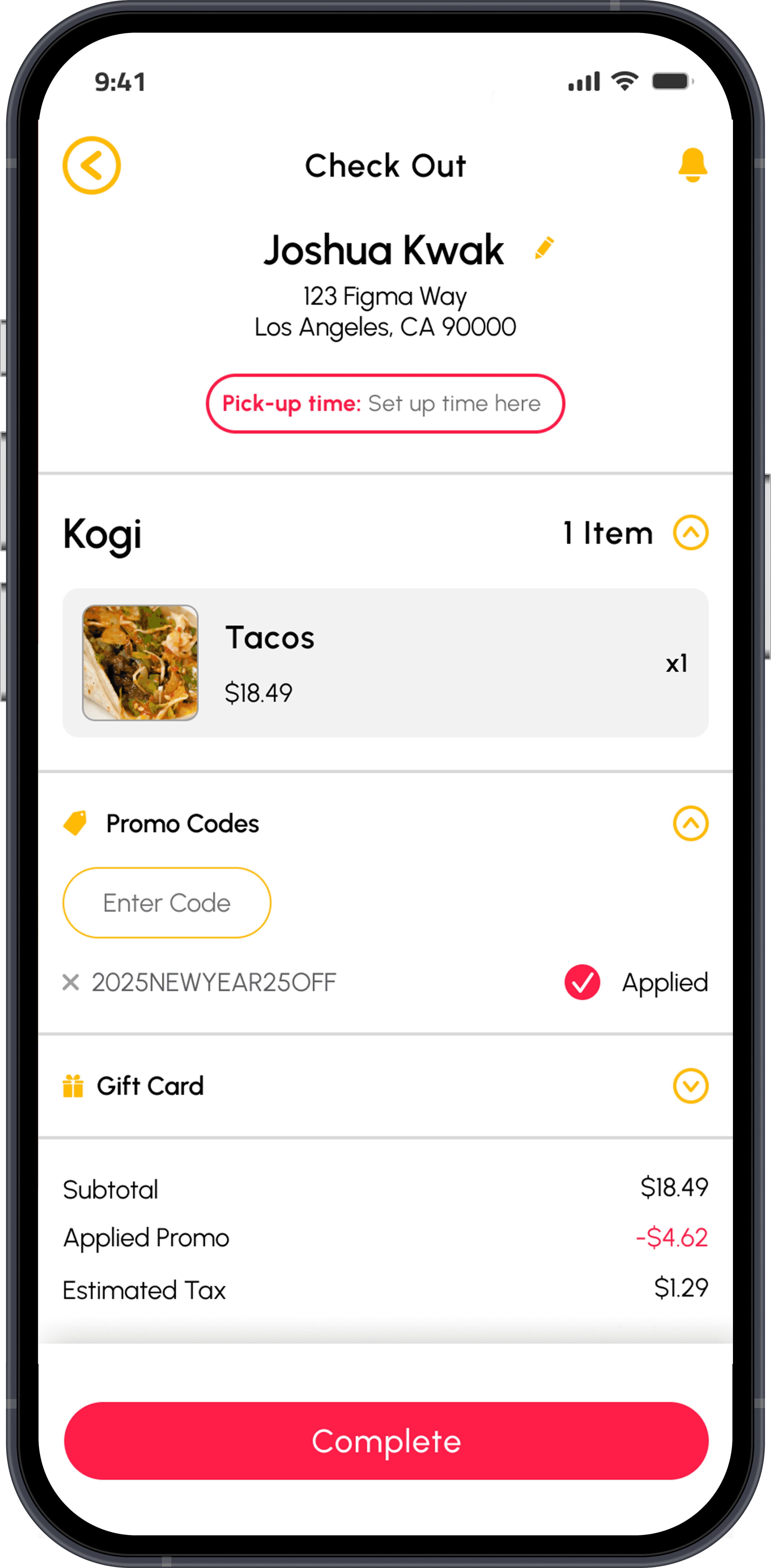
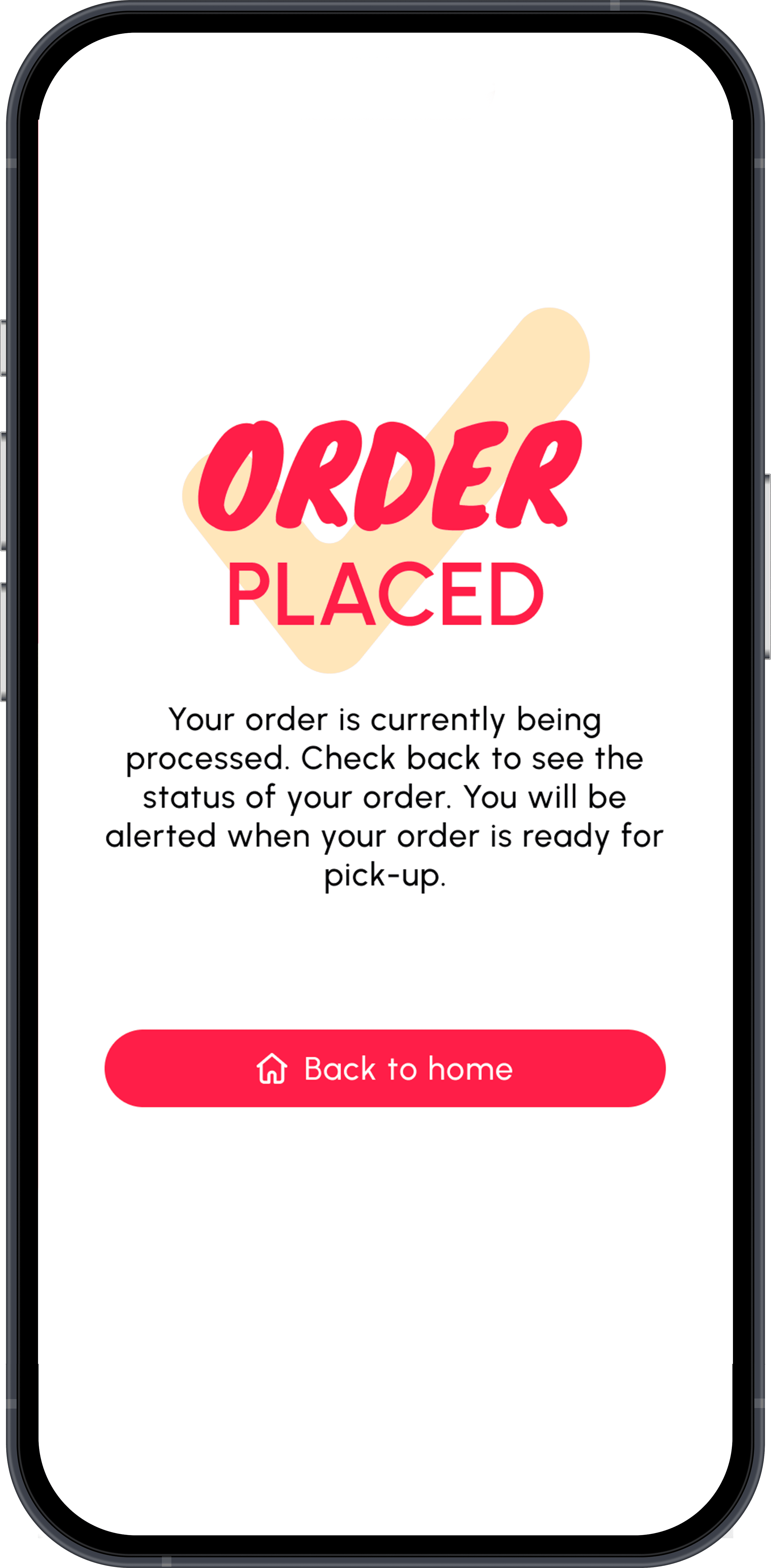
Food Ordering Process


Event Discovery Process
PROBLEM
Traveling Vendors Often Lack Visibility and a Method for Customers to Order Ahead.
72%
of consumers prefer ordering food digitally when the option exists.
UpMenu Food Ordering Behavior Report (2023)
30%
Long lines cause up to 30% revenue loss for vendors at high-traffic events.
Industry analysis via FoodTruckBooking (2024)
52%
of consumers won’t visit a food vendor if they can’t confirm the vendor is open or present.
Square’s “Future of Restaurants” vendor behavior survey (2025)
The Goal
Develop an app focused on traveling food vendors and events that creates opportunities and saves time for both customers and businesses.
Lack of Visibility
People often don’t know of nearby vendors or local events.
"I found out on TikTok there's a weekend Thai market here. I've lived here for 5 years and never knew."
No Stock = A Wasted Trip
Vendors often sell out mid-day, leaving customers disappointed after traveling long distances.
"There were a couple of times I went home empty-handed because an item at the food truck was already sold out."
Lack of Accessibility
Long lines and crowded environments prevent many people from ordering at events.
"My wife has had a lot of knee issues lately and can't stand for long periods of time."
Features To Include In This App
Ordering without physical lines
AI Provided Inventory Tracking
Improve Vendor and Event Discoverability
Who's Our Target Audience?
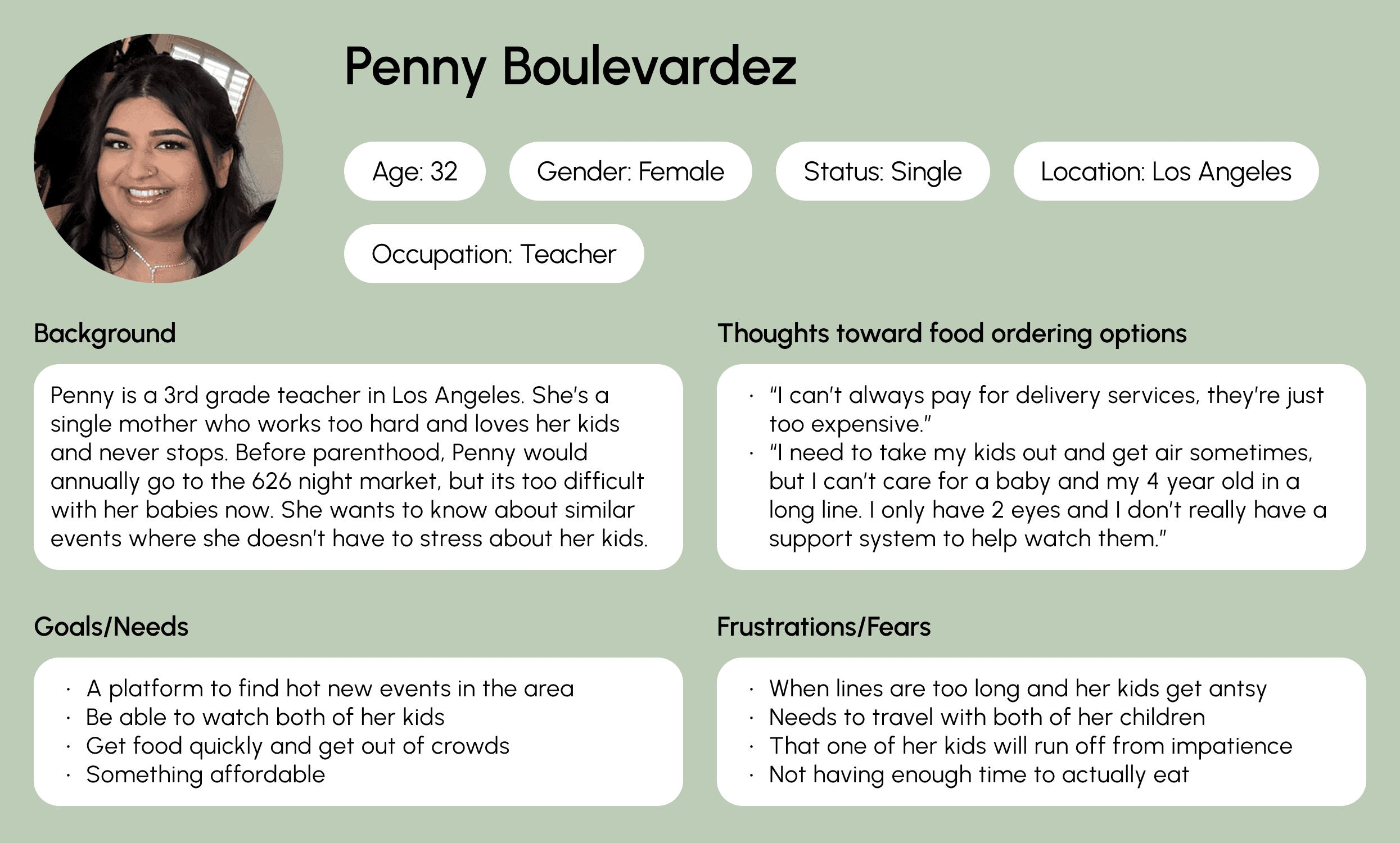
User Personas
This was my first vibe-coded project that I launched, and it wasnˇt designed with the traditional product design process. Using AI bypassed some of the typical flow, but there are some things I would consider changing:
Penny wants a way to discover different events with food vendors that aren't too difficult to attend because she's a single mother who also needs to watch her kids.
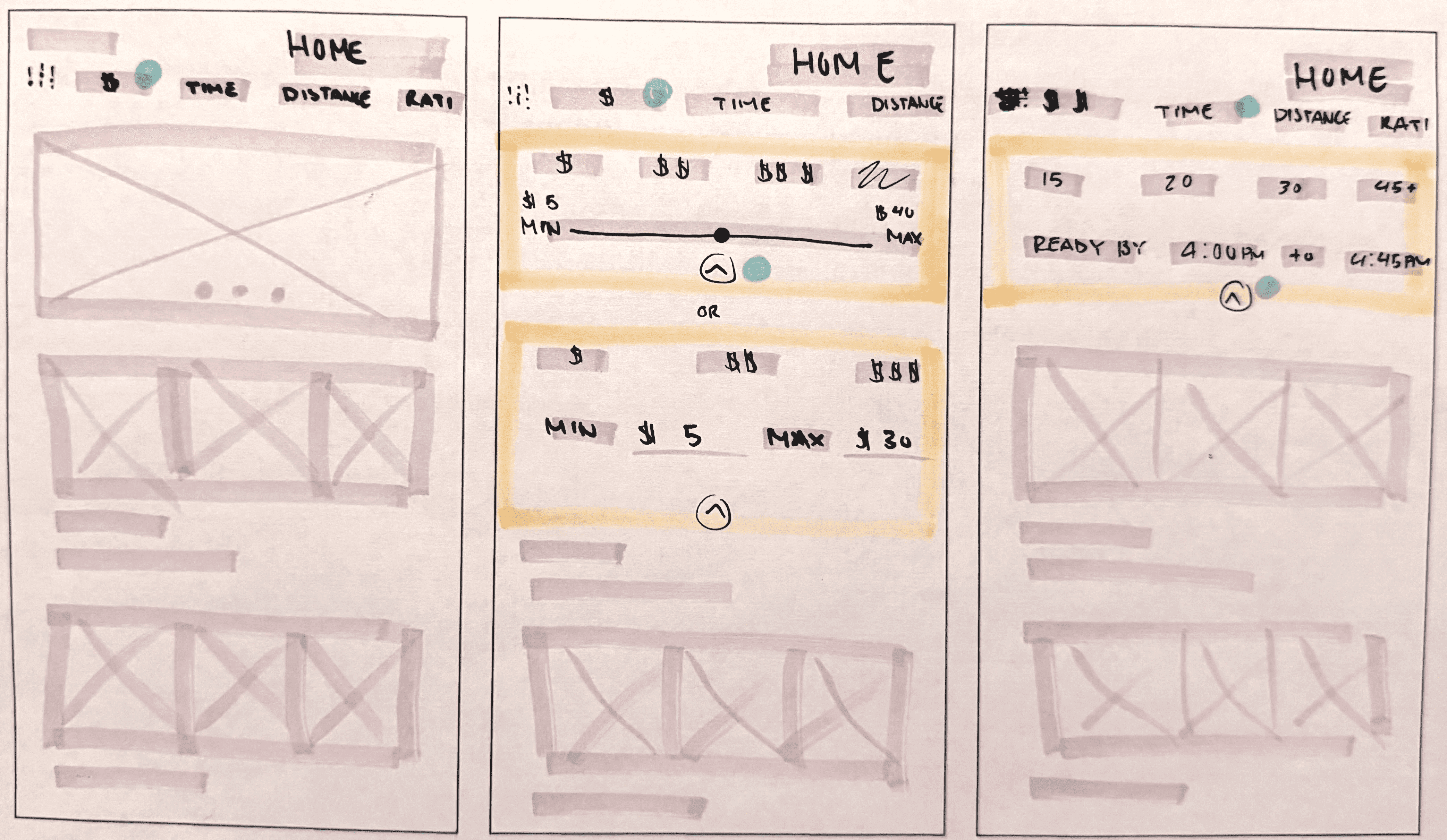
Quick and Revealing, Hand-Drawn Wireframes
I explored a handfull of directions and either chose one or pulled the strongest sections from each sketch and Frankensteined a stronger direction to follow.
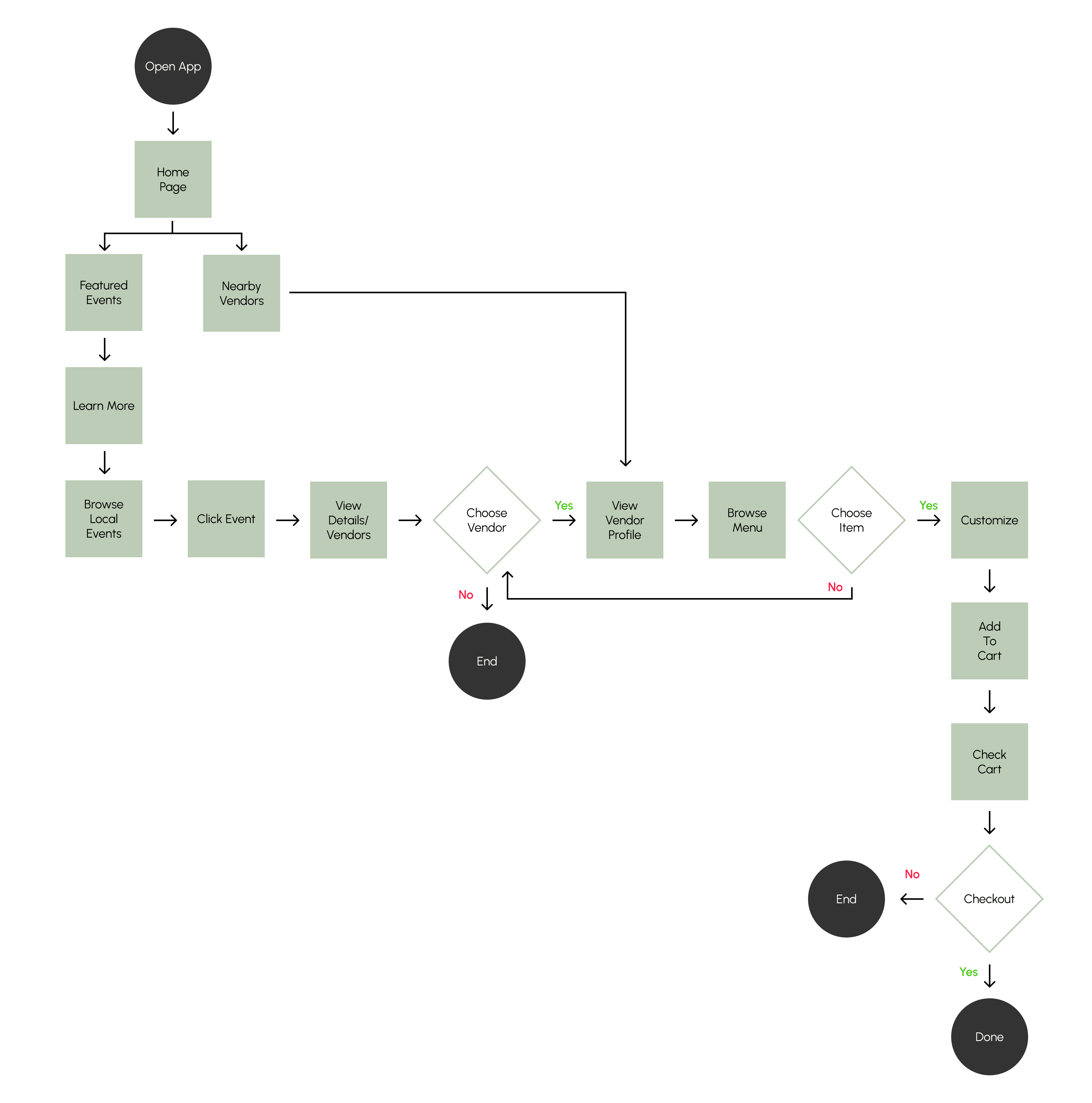
User Flow
Making a user flow helped me map out each step the user would take in the app, from entry to final action. This helped me determine the types of screens that I would want to design for.
Problem Focus-
Event Discovery
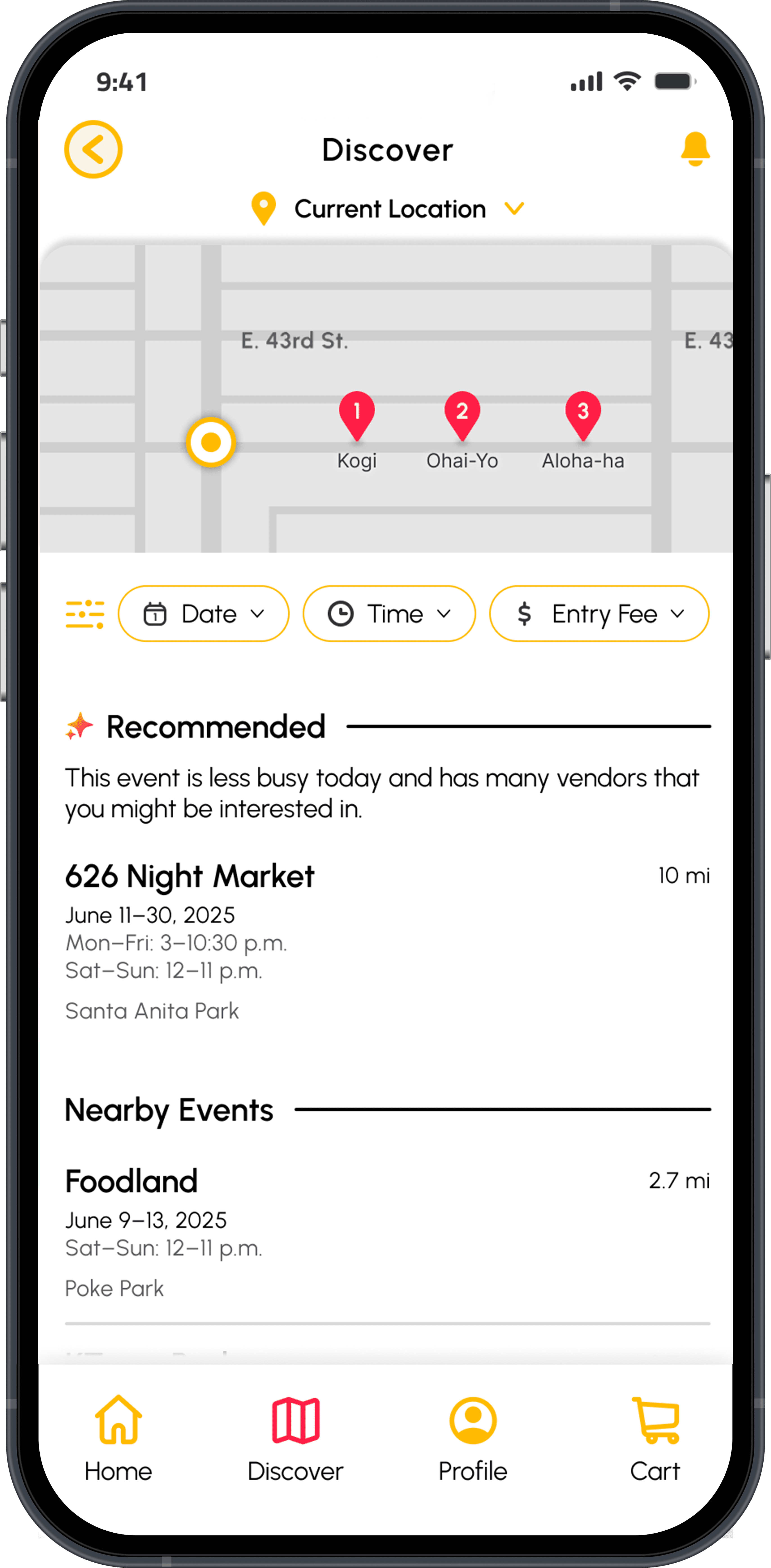
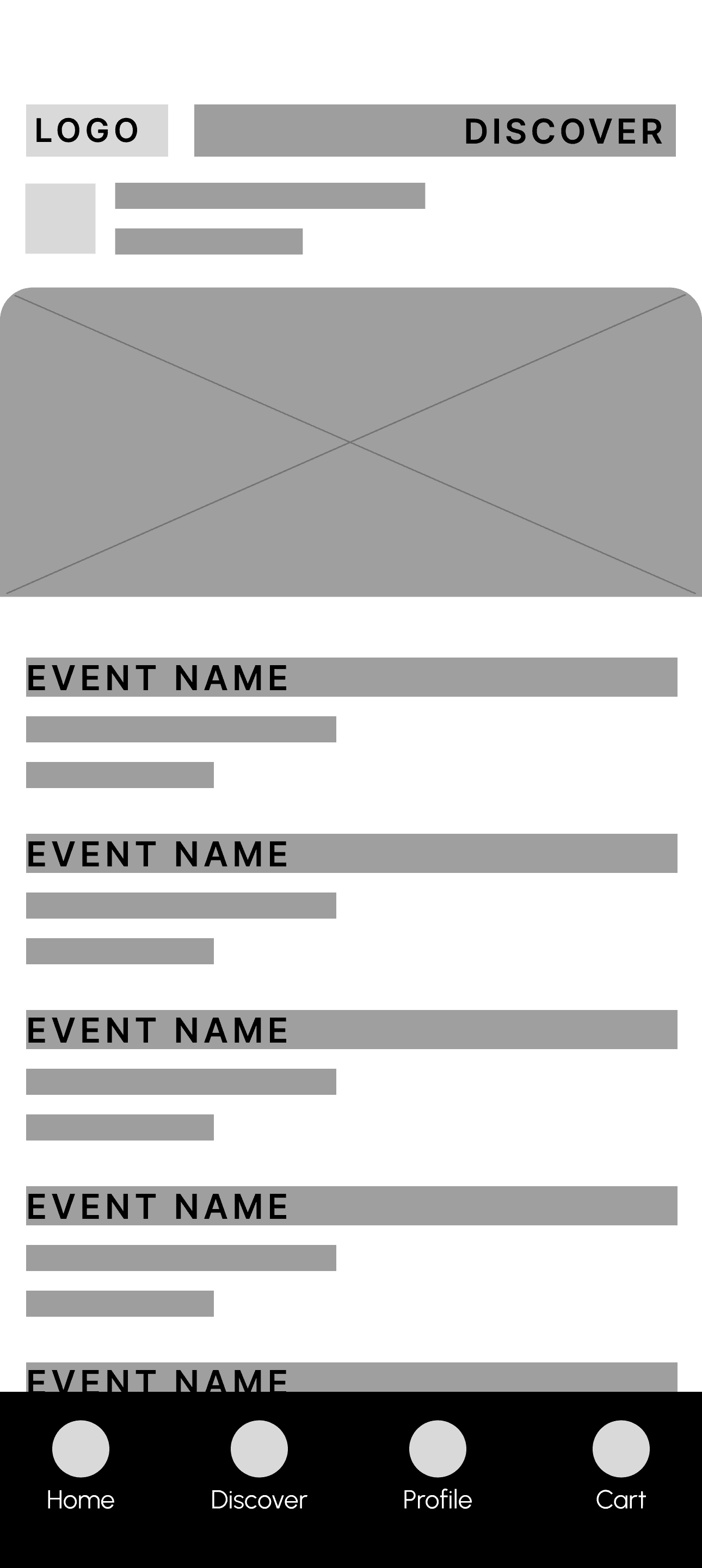
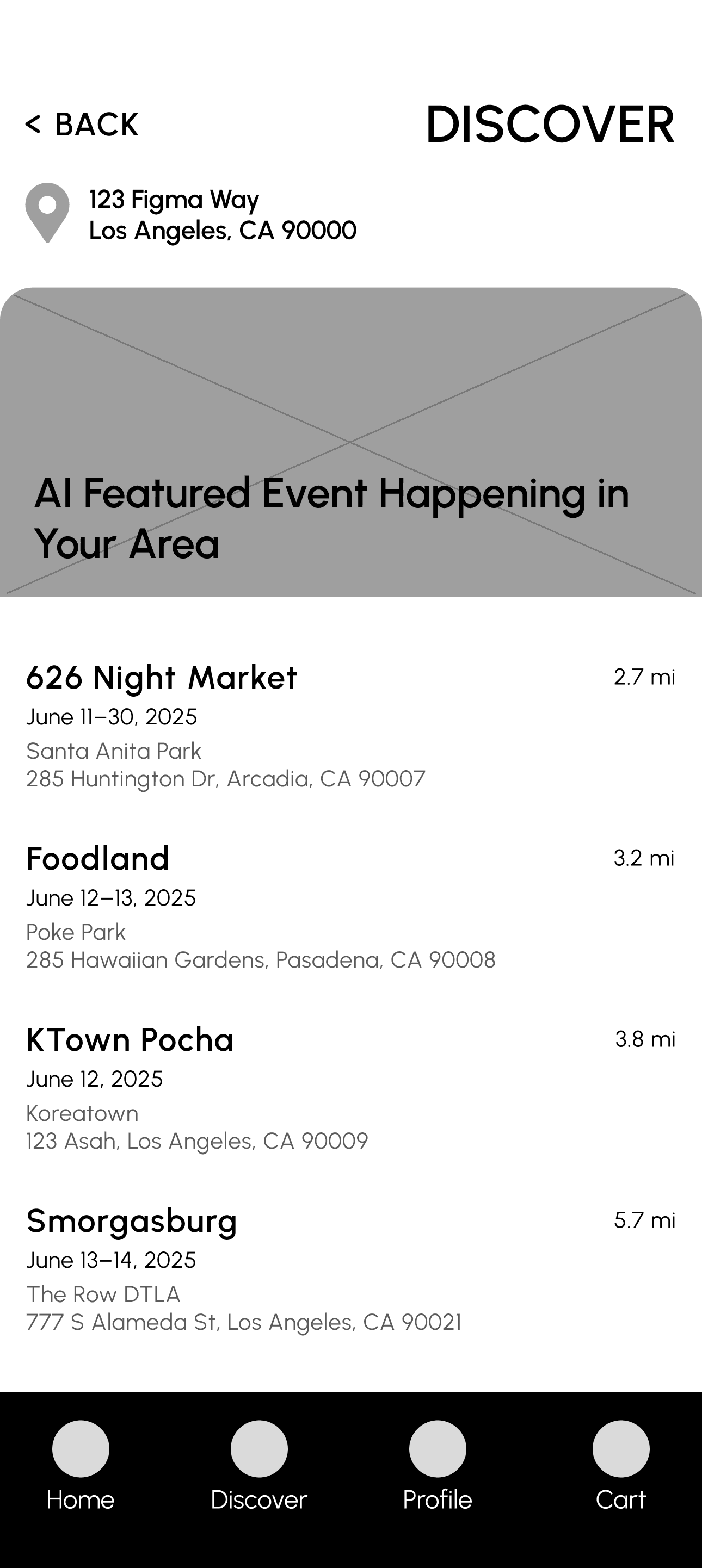
Focusing on the lack of event visibility as the first problem to solve, I began designing a discovery page to find local events.
Discover Screen
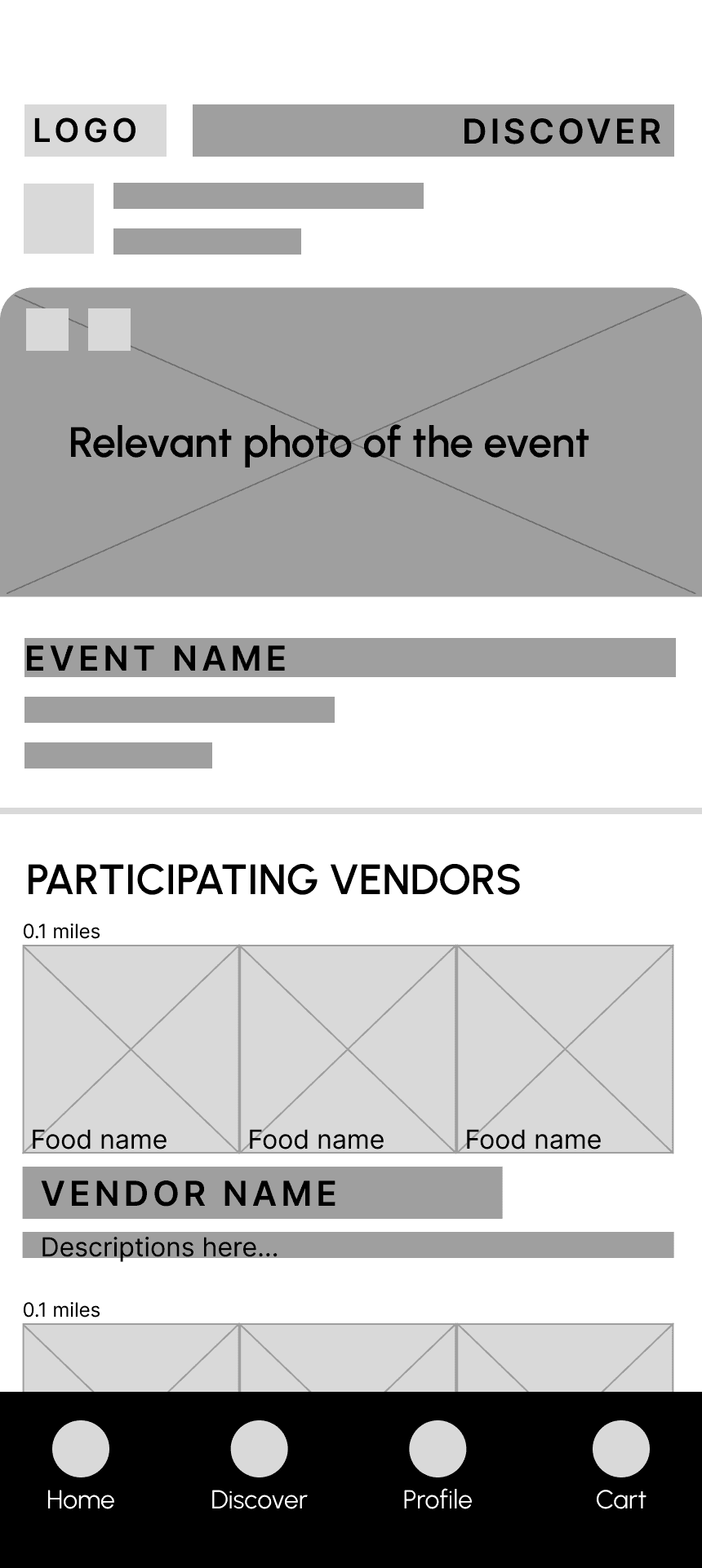
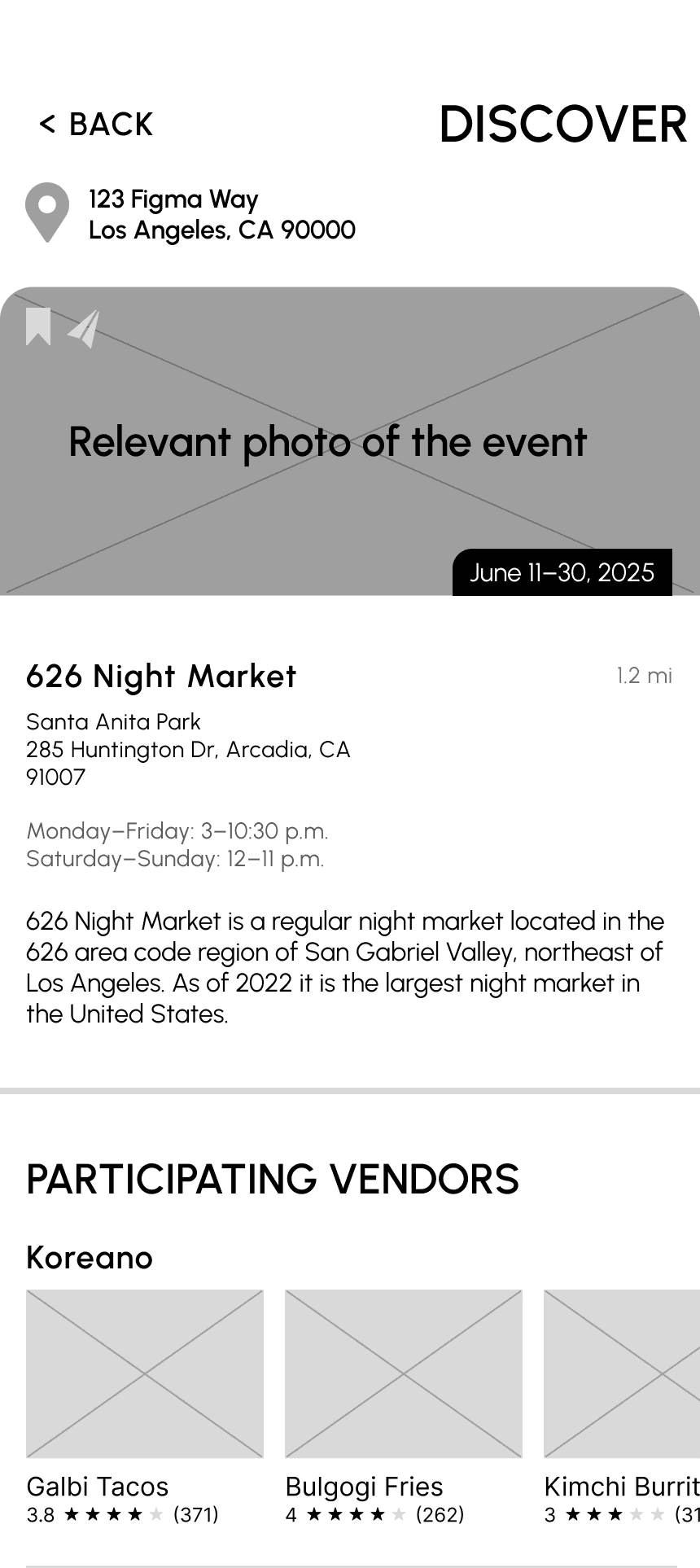
Event Profile
Usability Testing
Low-Fidelity Wireframes
I explored a handfull of directions and either chose one or pulled the strongest sections from each sketch and Frankensteined a stronger direction to follow.
Iteration/Design Decisions
Early feedback quickly revealed flaws.
User Feedback
Food names on the photo cards were too cluttered and that the distance marker also seemed out of place.
Users quickly noted that they couldn't go back to the last screen.
Long lists were overwhelming.
Solution
Added the names of food and the ratings below the photocards.
I included an icon to the top left.
AI-Powered Event Recommendation
AI-Powered Event Recommendation
Many users told me a long list of events would be overwhelming. They wouldn't know which events they should actually pay attention to.
AI recommendations reduce decision fatigue and personalize discovery.
This model considers several factor's from user data to surface relevant options.
Round 1
Low-Fidelity Prototype
Cleaning up and designing beyond wireframes allowed testers to have a better idea of how the process flowed.
Users shared:
that a live GPS map of the vendors would be extremely helpful.
they struggled with the layout of the food vendors on the event profile screen, saying it still seemed cluttered.
they didn't understand why there was no readily available info for the AI featured event.
Round 2
High-Fidelity Prototype
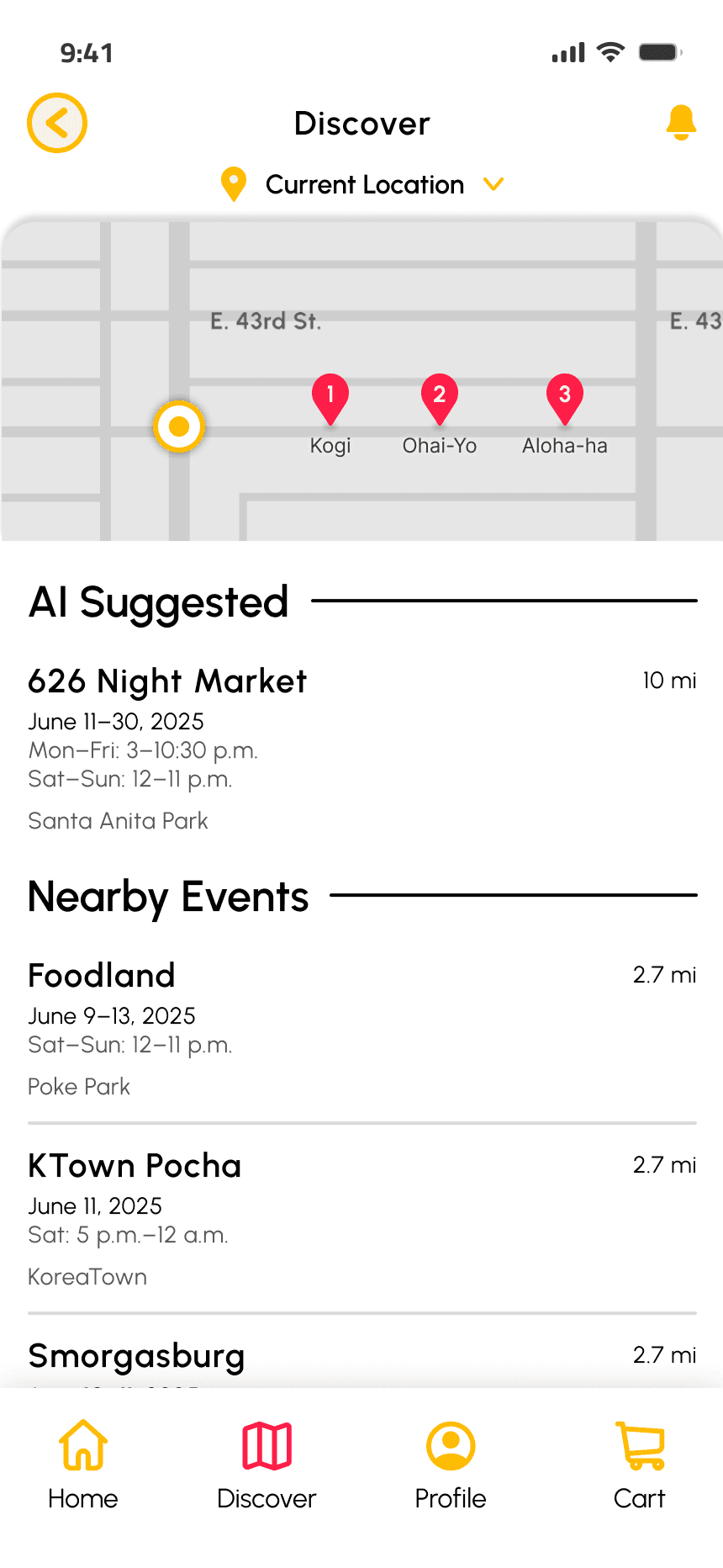
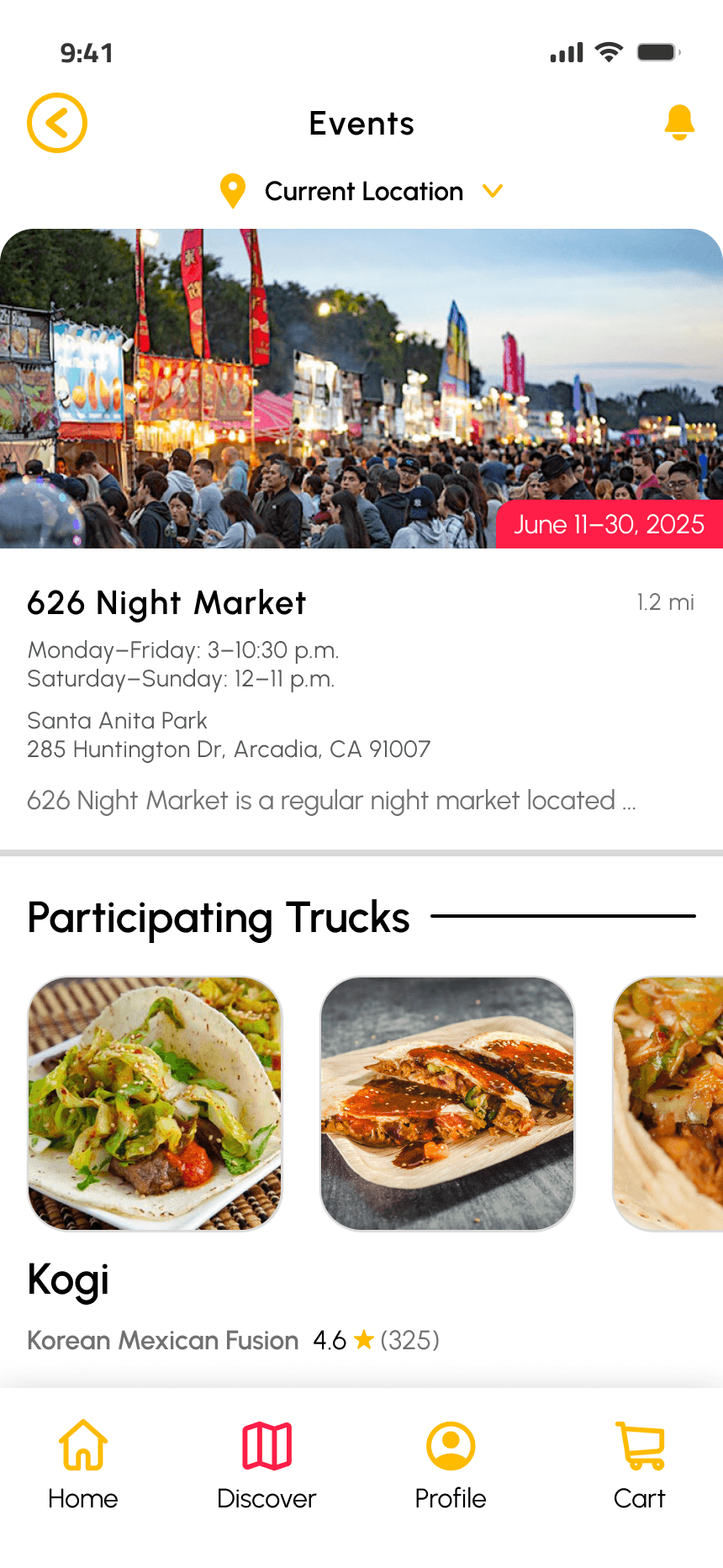
Progressing to High-Fidelity Prototypes, I was able to make solutions to solve each of the insights.
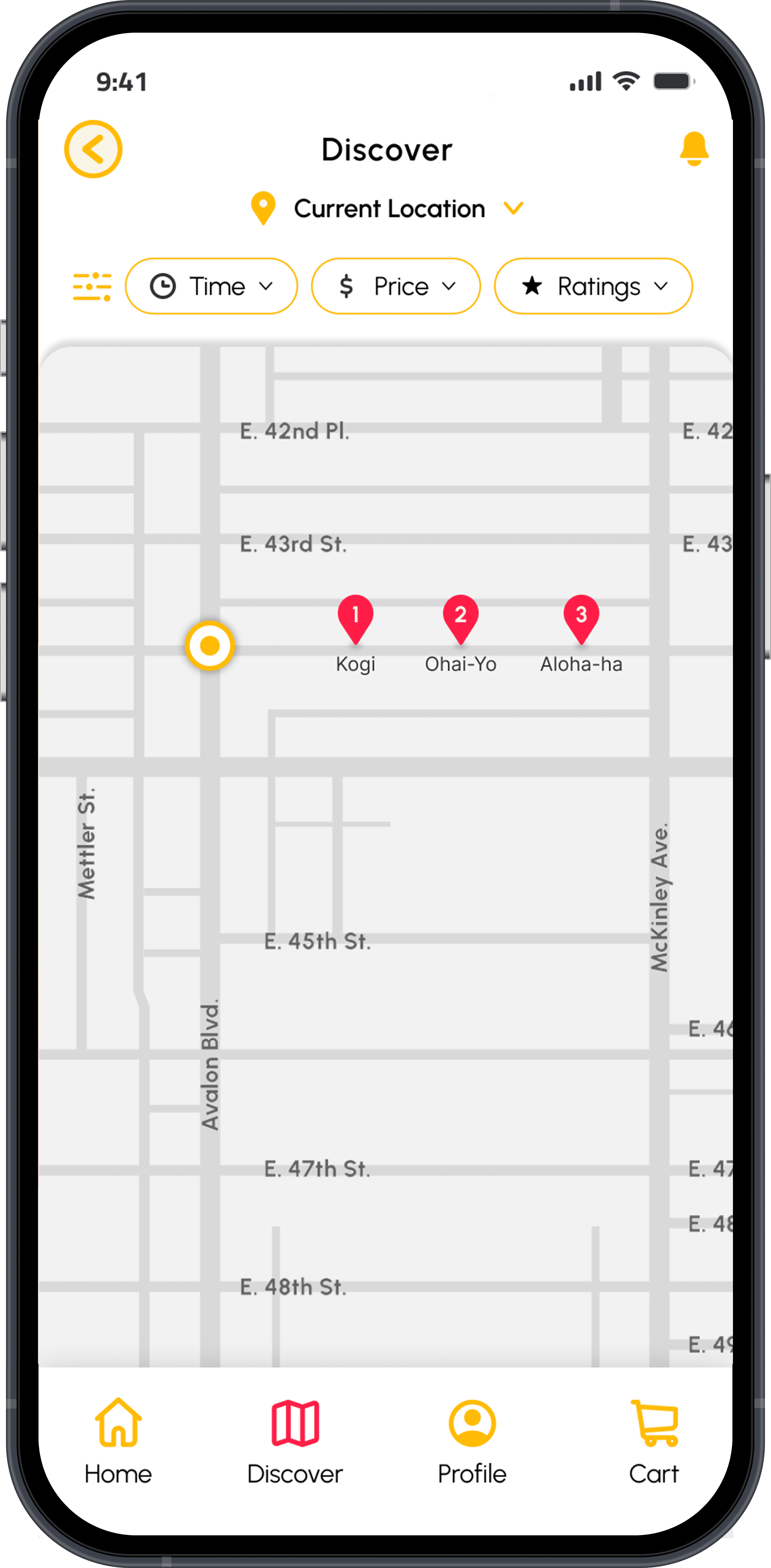
A live GPS map was added to help locate all vendors in proximity.
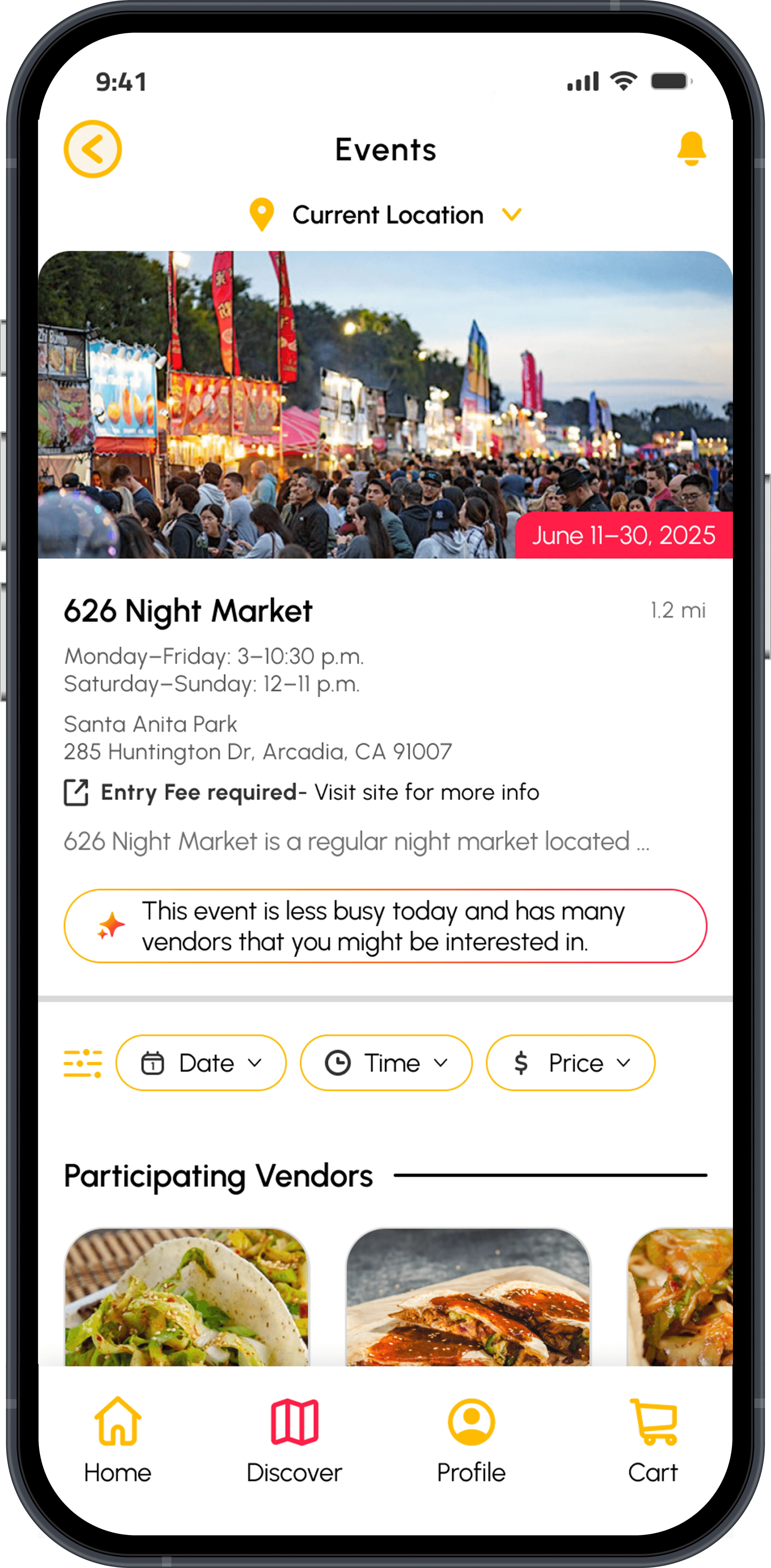
AI featured events were added below as a written event with more info.
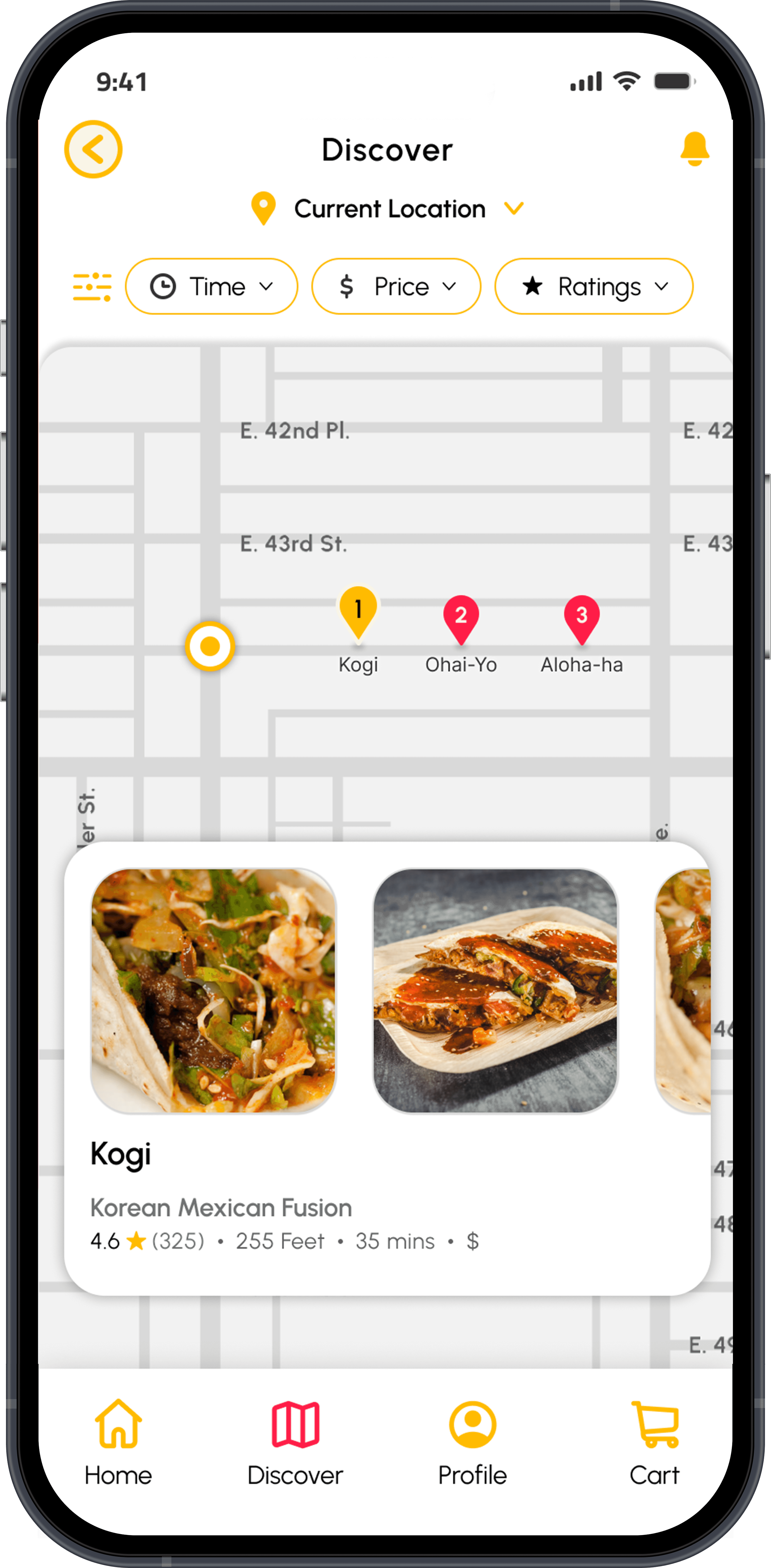
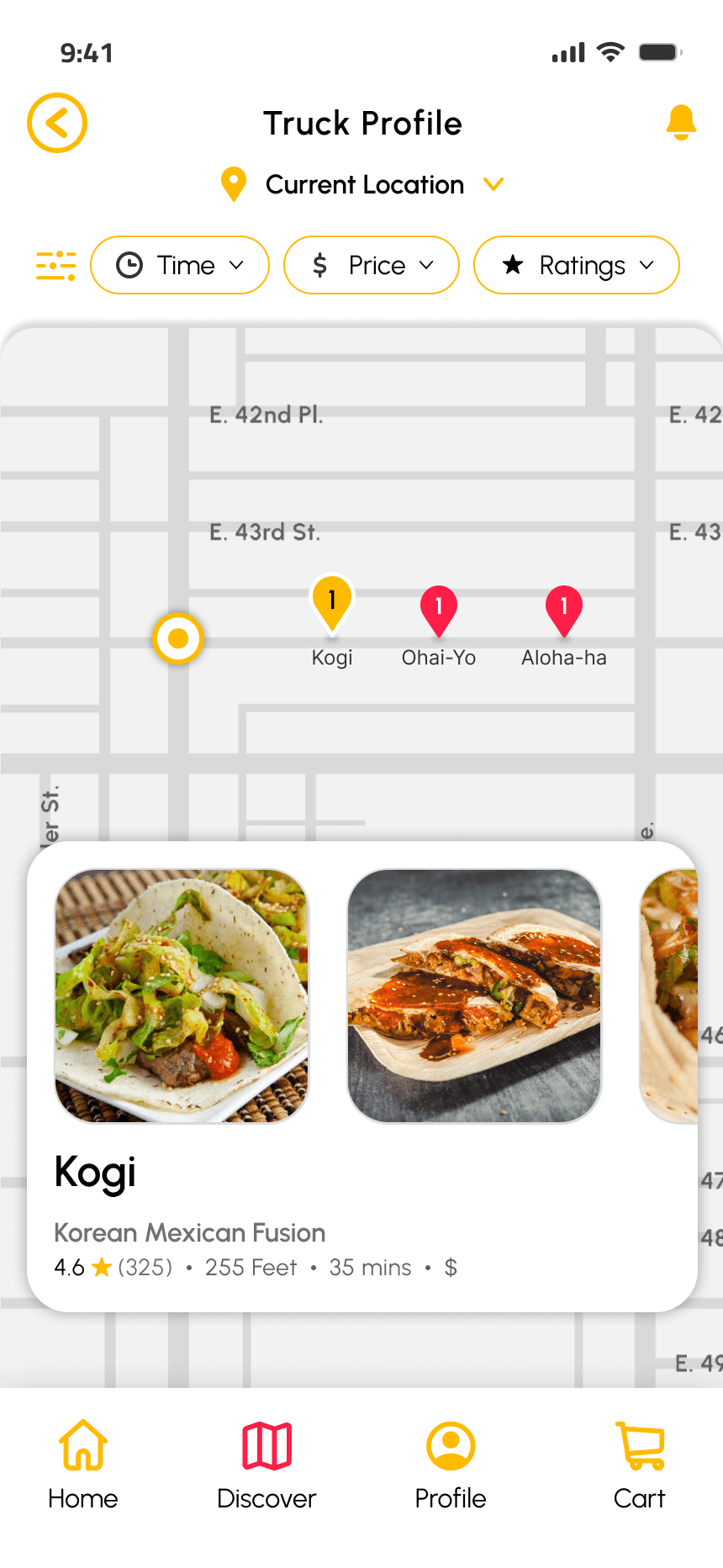
Vendor cards were cleaned up by improving the text hierarchy and only providing the most essential information for a quick browse.
Last Improvements
Adding a filter bar for the events and the discover screen and for the vendors participating at them.
Adding event ticket information and a link directing users to their page.
AI suggestions don't explain why they were suggested.
Event Discovery In Action - Video
FINAL DESIGNS
Discovery and Checkout Made Possible

AI is a powerful tool, but one that I wanted to make sure I properly designed with properly. I decided that adding the recommendation to the home page would increase visibility for discovery.
AI Recommends Events by Considering Several Factors
Location
User's past attended events
User's frequently visited vendors
User's cuisine preferences
Popularity/trending events
Time of day likely to attend
User's accessibility needs
Distance
Peak hours (avoid crowds)
Family friendly events
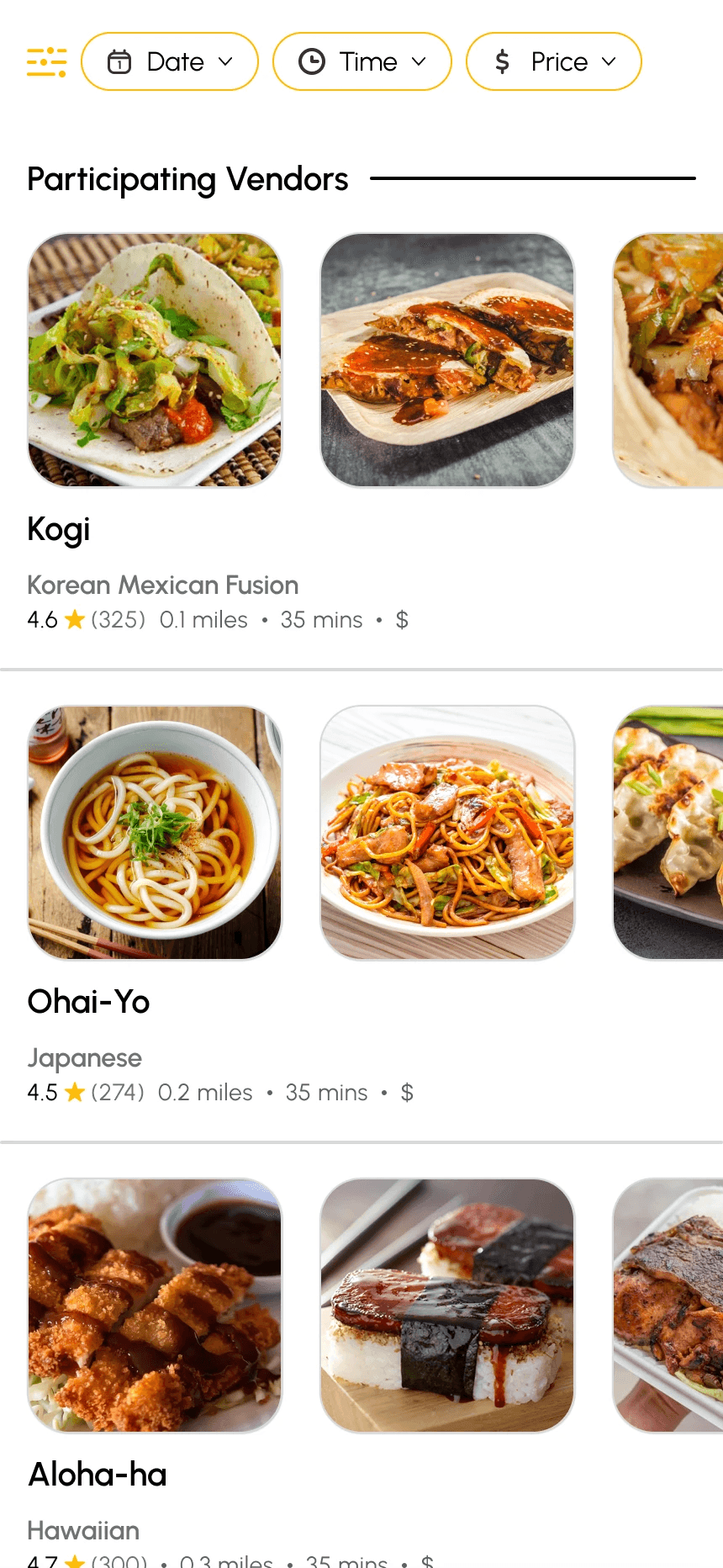
Final Event Discovery Screens
Discover Page
Event Discover
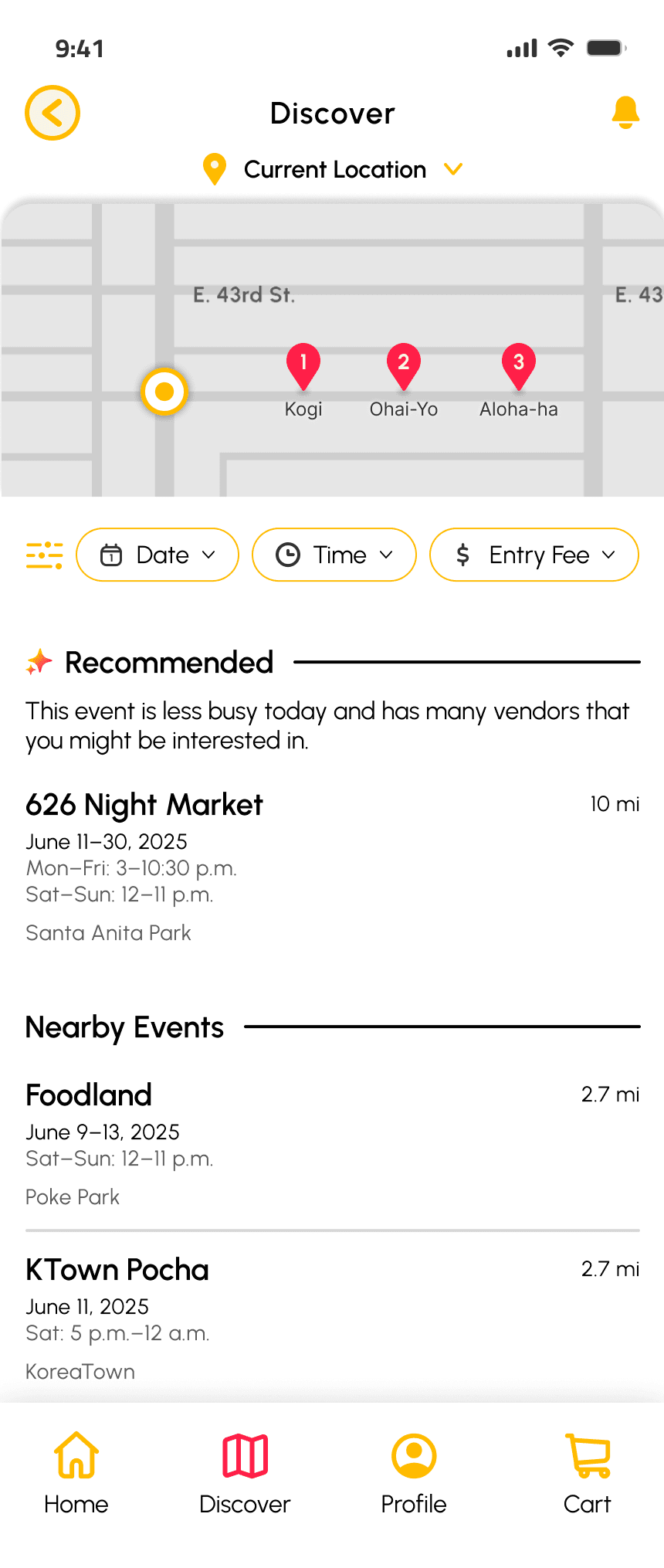
GPS Map
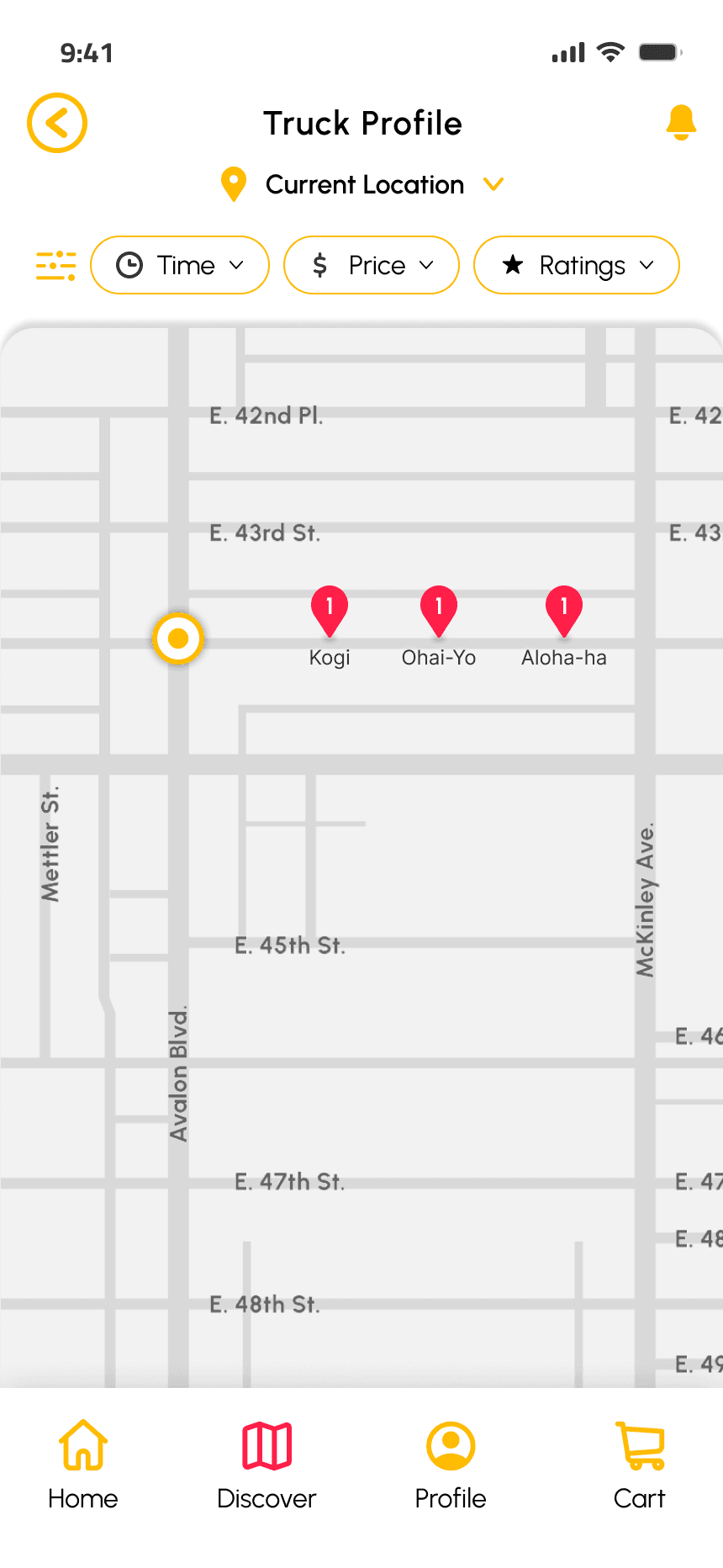
GPS Map- Clicked
Event Profile Page
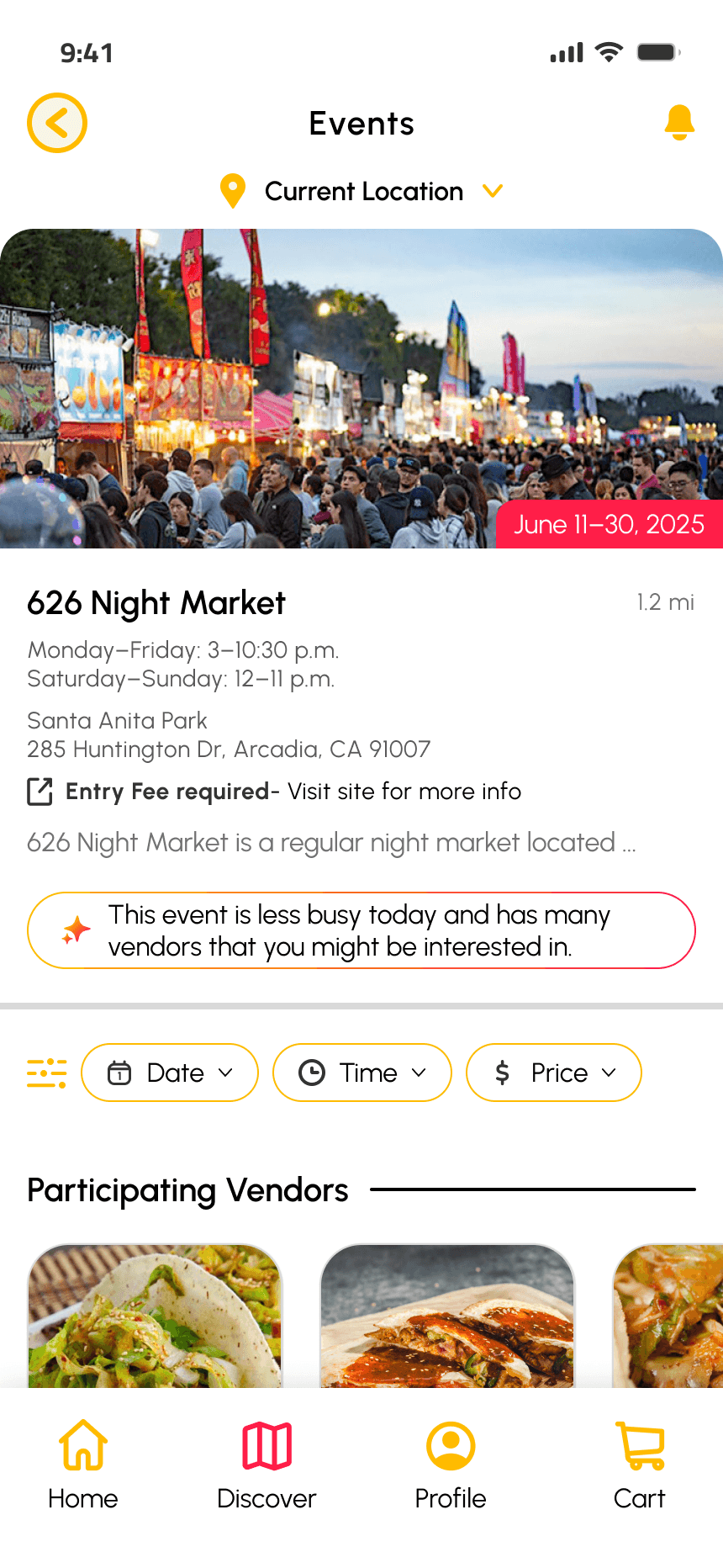
Vendor List
AI Improving The Checkout Process
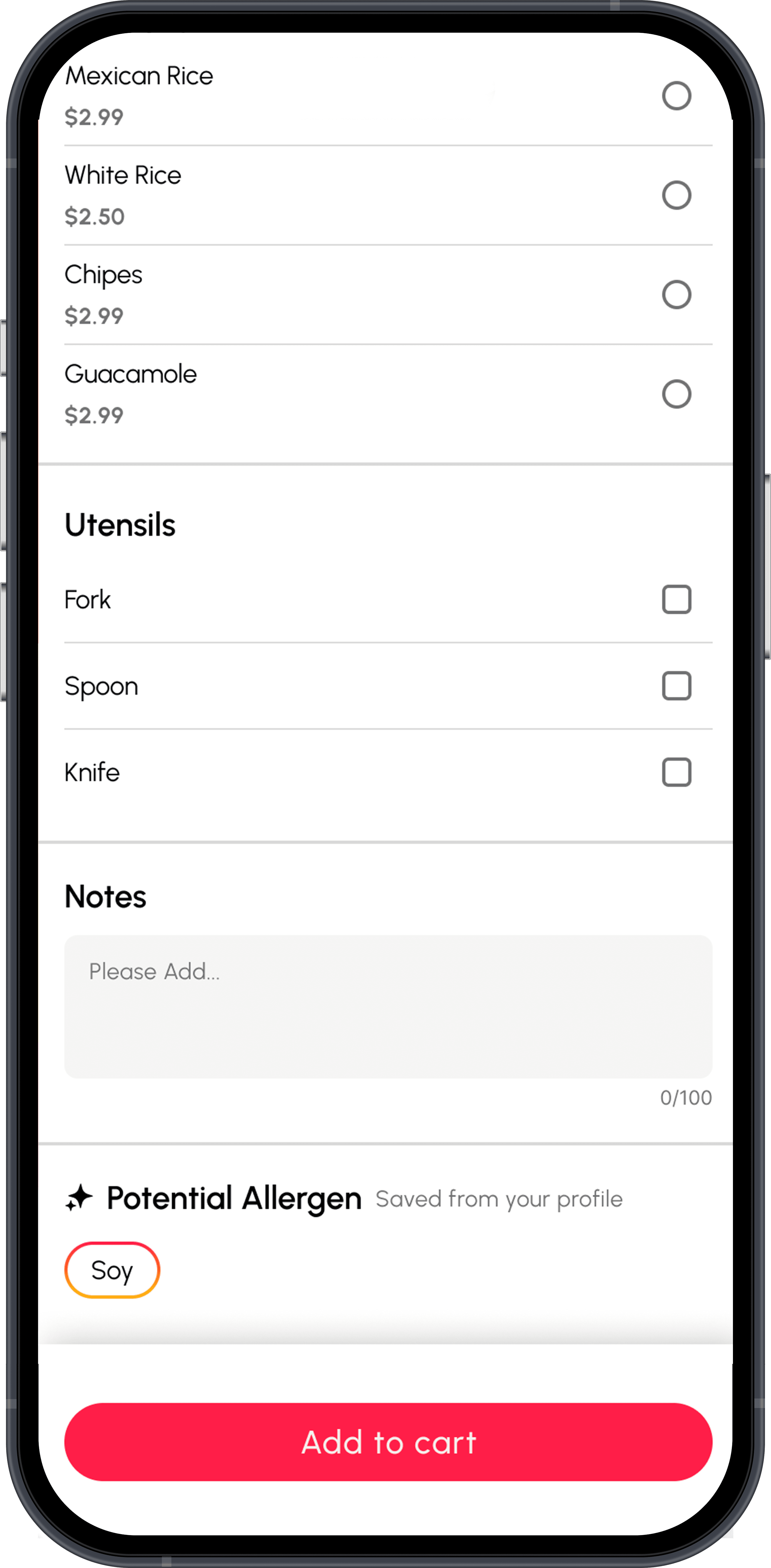
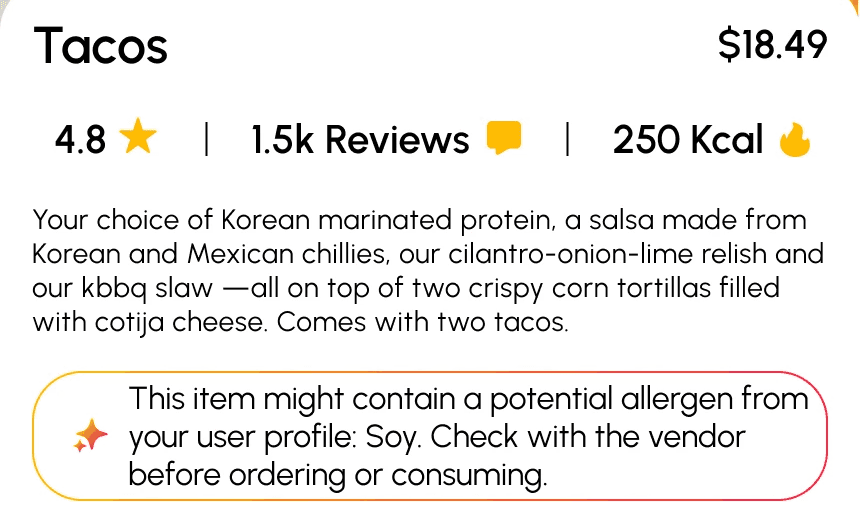
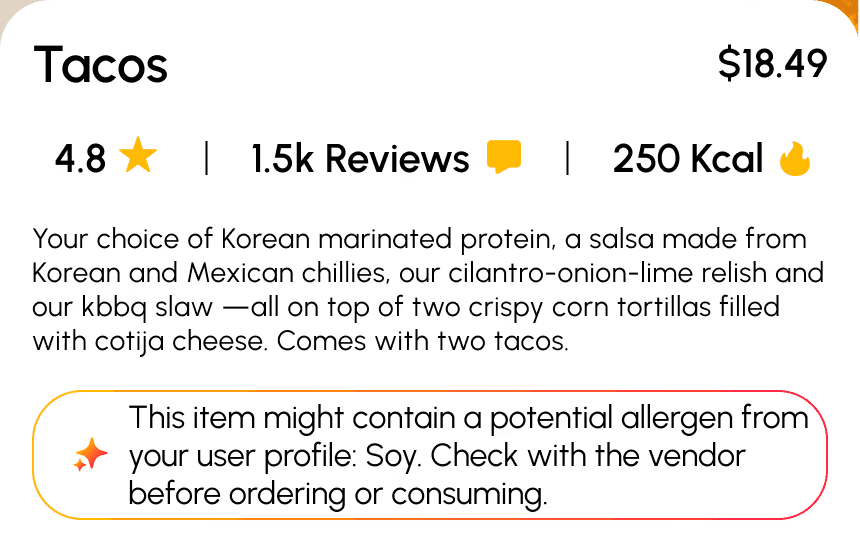
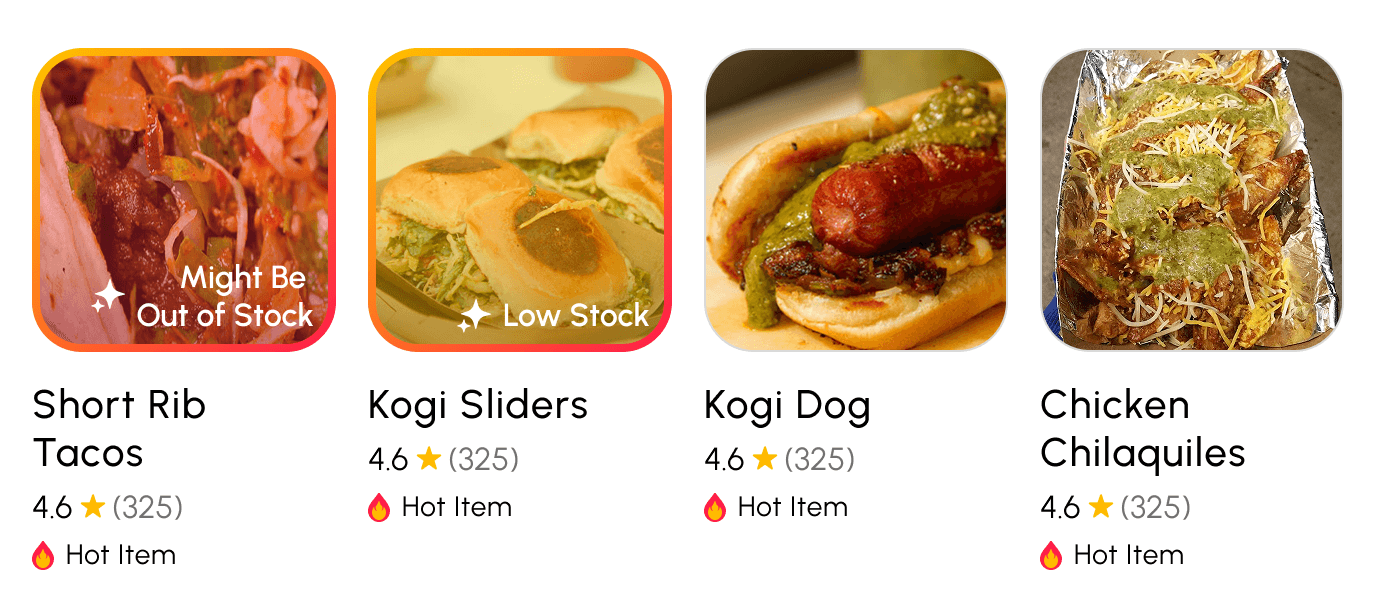
AI improves the checkout process by proactively scanning the user’s order for allergens they’ve marked in their profile and flagging any risks before payment. It also predicts low-stock or out-of-stock items based on vendor trends so users don’t waste time ordering something that won’t be available
AI alerting users to potential allergens noted in their profile
AI alerting users to predicted stock levels of the menu items
100%
of users successfully navigated the discovery section without confusion.
73%
said the event visibility solved a frustration they regularly experience.
60%
of users wished other apps included an AI allergy alert function.
86%
thought the AI stock indicators would be helpful in other ordering apps.
Where I Grew
Learned to use empathy as a strong tool
Became more disciplined in user research, testing, and iteration
Strengthened my ability to distill complex workflows into clear user journeys
Used AI tools to accelerate ideation, analyze feedback patterns, and refine decision-making
Sharpened my Figma skills, prototyping speed, and storytelling ability
What I'd Improve Next Time
Focus earlier on mapping user flows before committing to wireframe details
Learn to filter between helpful and distracting feedback more effectively. Not every problem needs to be solved.
Push accessibility further, especially touch targets
Explore ways to incorporate AI even more ethically and transparently
Culminating Thoughts
I’m proud of the final product and the thinking behind it. Even as a solo project, it pushed me to understand perspectives beyond my own, and to leverage AI thoughtfully as a design tool, not a shortcut. This project helped me grow into a more intentional, systems-minded product designer that can help real people.